
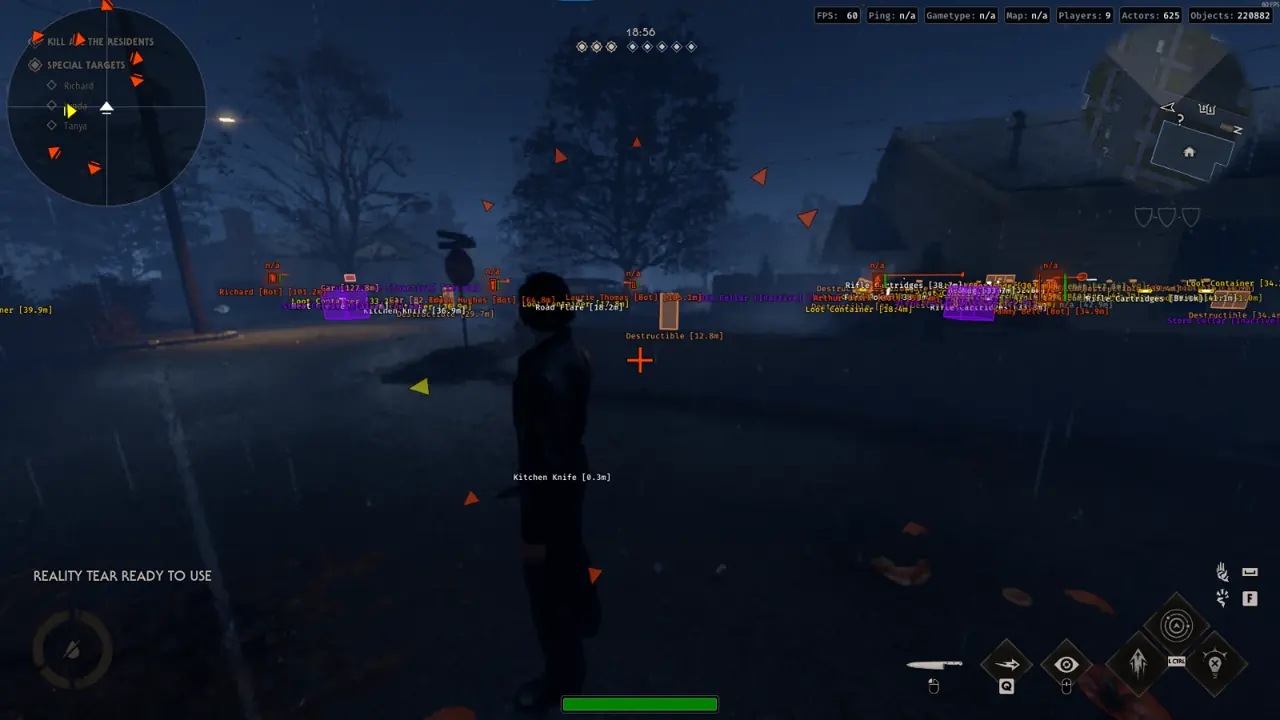

Solving Crushed-Black Haddonfield Shadows Without Flashlight Beams
The TXCIZ Halloween: The Game Visuals and Misc toolkit removes crushed-black blindspots across Steam and Epic Games Store on 64-bit Windows 10/11 (EAC) using client-side Fullbright illumination, keybound Free Cam scouting, 45m 2D Radar proximity alerts, and Humanizer-smoothed defensive firearm aim.
Turning on an in-game flashlight broadcasts your position to Michael Myers across suburban yards. Balanced Fullbright illumination lets Civilians inspect unlit basements and attic stairs silently while reserving Free Cam sweeps for risky exterior exits.
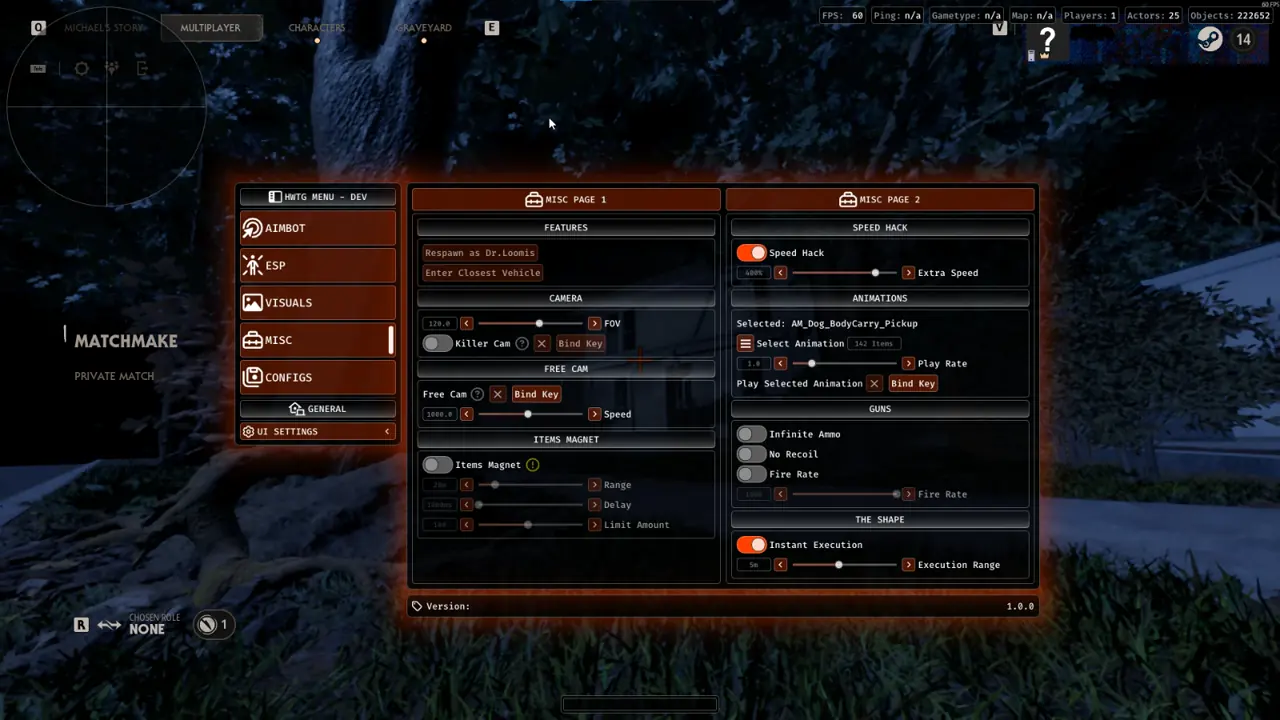
Recommended Fullbright, Free Cam & Defensive Aim Settings
Pairing moderate Fullbright shadow lift with controlled Free Cam speed and tight 4.0° defensive aim FOV keeps indoor text crisp and emergency stun shots consistent.
| Module | Recommended Configuration | Practical Survival Benefit |
|---|---|---|
| 03. Visuals: Fullbright | Balanced Indoor Shadow Lift | Navigates basements and hedges without turning on flashlights |
| 04. Misc: Free Cam | Dedicated Keybind Toggle at Medium Speed | Inspects porch exits and hedges from locked hiding rooms |
| 03. Visuals: 2D Radar | 45m Alert Zone with Directional Compass | Flags zero-audio Killer stalks behind walls and fences |
| 01. Aimbot: Defensive | 4.0° FOV with Humanizer Smoothing (Chest/Head) | Lands clutch revolver, flare, and shotgun stun shots cleanly |
Safe Free Cam Habits & Four-Step Night Visibility Routine
Because Free Cam leaves your character standing stationary while the detached camera flies, binding Free Cam away from WASD keys and triggering it strictly inside cover keeps Survivors safe.
- Enable Fullbright under 03. Visuals and verify interior hallway silhouettes look clear in a solo match.
- Bind Free Cam under 04. Misc to an isolated key (such as V or Mouse4) with medium travel speed.
- Set 01. Aimbot to a 4.0° FOV Circle with Humanizer smoothing and Stick to Target for defensive stun weapons.
- Save Civilian_NightClarity in 05. Configs and assign a KeyBindConfig hotkey alongside your Myers preset.
Keybind Discipline Across Civilian and Shape Queues
Maintaining distinct night-clarity presets in 05. Configs keeps Civilian stealth uncluttered while ensuring Michael Myers queues automatically drop unneeded world-item tags in favor of bright Survivor skeletons and vault vectors. Testing Fullbright and Free Cam speed inside an offline tutorial guarantees zero glare across 144Hz monitors.
- Scout From Locked Rooms: Trigger Free Cam for 2 to 3 seconds inside closets or barricaded bedrooms to check porch camps.
- Separate Shape Config: Load your ShapeStalker config when queued as Michael Myers to focus on Survivor skeletons and vault paths.
- Borderless 100% DPI: Keeps hotkeys instant and StreamProof capture protection reliable across 144Hz monitors.
Combine this visibility setup with our Car Keys, Battery & Fuse ESP Guide, Haddonfield Landmarks & Escape Guide, and Michael Myers Stalk & Radar Guide.
Prerequisites, Expected Outcome & Fast Triage
Confirm Undetected status on Live Cheat Status, review Windows 10 & 11 Setup Guide, and access 1-Day (€3.99), 1-Week (€13.99), or 1-Month (€24.99) keys on the Halloween: The Game Product Page using Txcizware-Loader.exe (2.61 MB).
System Prerequisites and Expected Launch Outcome
- OS & Memory: 64-bit Windows 10 or Windows 11 (24H2–26H2), Intel or AMD processor, and 16 GB+ RAM.
- Display Mode: Windowed or Borderless at 100% DPI with HDR off and NVIDIA/Discord/RTSS overlays closed.
- Expected Outcome: Loader displays [+] You can open the game now, F2 beeps at Main Menu, and Insert opens the StreamProof menu.
Fast Troubleshooting Triage
- 0x00000001 / Instant Close: Repeat Step 2 Windows Security toggles (Defender resets on reboot), sync clock, enable WARP, and Run as Admin.
- Stuck 10% / 521 / 429: Enable Cloudflare WARP (1.1.1.1) or wait 15–30 minutes for HTTP 429 cooldown.
- Overlay Offset: Verify Borderless Windowed at 100% scale and close background overlays.
- BSOD / MsSo64.sys: Update drivers, switch HVCI and Secure Boot OFF (pause BitLocker first), and send Minidump plus injector.tos to #🎫┃ticket-maker.

