

Instant license key delivery after Stripe checkout • Works on Windows 10 & 11 (64-bit)
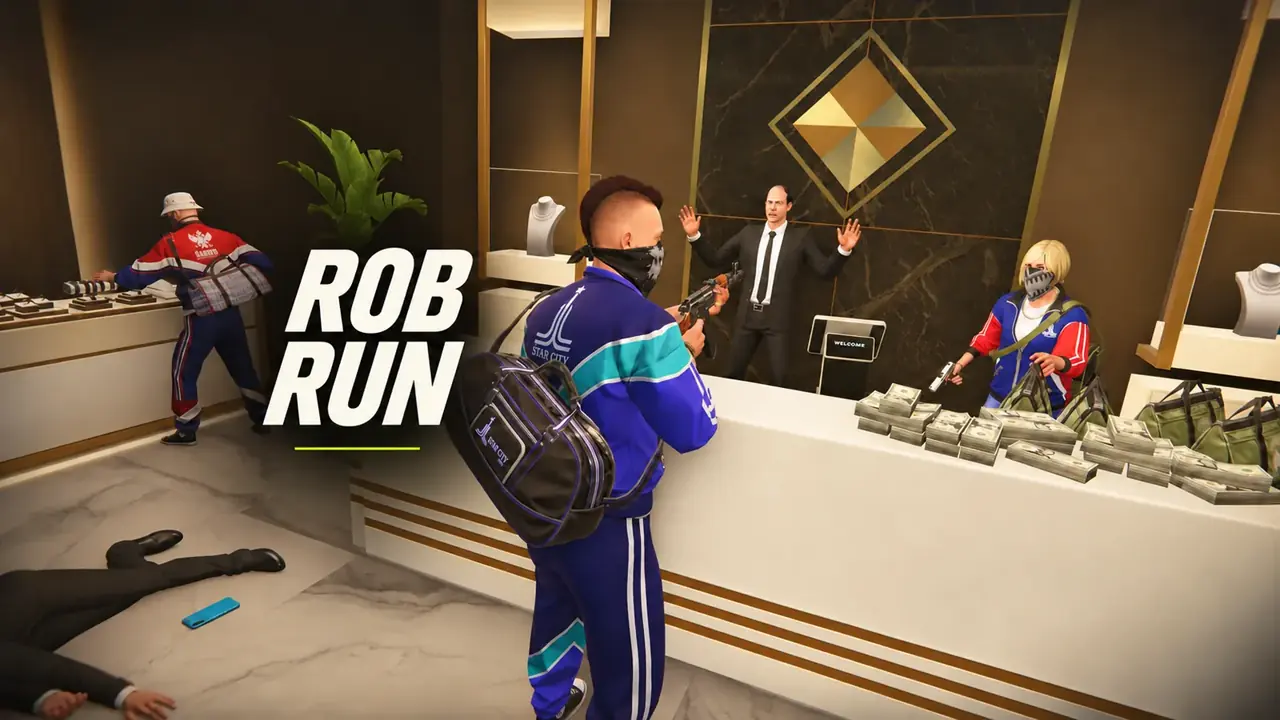
The TXCIZ Rob Run suite runs on Windows 10 / Windows 11 (64-bit) (Keyboard & Mouse) starting at €6.99 EUR with instant automated Stripe key delivery. Current status: Undetected. Included modules cover Aimbot & Targeting, Weapon Control, Smoothing & Aim FOV, Player ESP & Roles.
| Plan | Duration | Price (EUR) | Daily Rate | Availability | Delivery |
|---|---|---|---|---|---|
| 1 Day | 1 Day | €6.99 EUR | €6.99 / day | In Stock | Instant Stripe Vault |
| 1 Week | 7 Days | €19.99 EUR | €2.86 / day | In Stock | Instant Stripe Vault |
| 1 Month | 30 Days | €37.99 EUR | €1.27 / day | In Stock | Instant Stripe Vault |
| Lifetime | Lifetime | €120.00 EUR | One-time key | In Stock | Instant Stripe Vault |
Rob Run PC cheats from €4.99 with role aimbot, No Recoil, Cop and Criminal ESP, Homestead safe values, and loot previews. Instant keys.
About Rob Run
FULL OVERVIEWRob Run (also listed by players as Rob & Run or RobRun) is Kefir's fast-paced asymmetric heist and Homestead raid shooter on Steam, operating within an Easy Anti-Cheat (EAC) PC environment. Every match pits loot-carrying Criminals against pursuit Cops across multi-floor banks, Looty Bay coastal zones, fortified Homesteads, trap-lined hallways, and street extraction lanes. TXCIZ Rob Run software unifies role-aware targeting, Homestead appraisal overlays, container previews, and weapon stability controls inside one responsive Windows 10 and Windows 11 menu.
Standard shooters treat every opponent identically, which causes wasted engagements in asymmetric heist lobbies. TXCIZ Role ESP distinguishes Cops, Criminals, and teammates at a glance while displaying player names, live health bars, carried cash bags, equipped weapons, skeletons, and exact meter distances. Matching Aimbot role filters let you lock strictly onto Cops during a Looty Bay vault escape or isolate armed Criminals carrying high-value bags during police interceptions.
Profit per minute in Rob Run depends on reading rooms before breaching them. Our Homestead ESP highlights cash-generating Machines, Safes, Traps, Automated Turrets, and Storage Lockers through walls with live monetary readouts. Paired with Loot & Container Previews and adjustable price-band filters, you can ignore low-value clutter, spot lethal doorway traps before stepping inside, and prioritize top-dollar safes and getaway vehicles.
When engagements break out across parking lots and rooftops, the Aimbot module provides configurable FOV circles, Visibility Check validation, smoothing sliders, bone selection (Head, Neck, Chest, Nearest), and customizable hotkeys. Adjustable No Recoil and No Spread percentages let you dial in subtle rifle stabilization rather than robotic zero-kick patterns, complemented by Camera FOV expansion, a local vehicle skin changer and car model cosmetics, character visuals, and a movable 2D radar.
All visual panels are StreamProof, keeping your Role ESP, safe value tags, and menu tabs invisible to OBS Studio recordings and Discord screen shares. Lightweight rendering maintains smooth framerates on 8 GB+ RAM systems even in trap-dense late-game Homestead sieges.
Check live stock and Undetected status on our /status page at any time. Rob Run is one of our flagship catalog suites with 1-Day, 7-Day, 30-Day, and Lifetime key options, instant Stripe delivery into your permanent /confirmation Order Vault, and 8 dedicated technical guides in the TXCIZ Knowledge Base.
To maximize hourly cash extraction in Rob Run without sacrificing gunfight awareness, configure one profile with Criminal-only or Cop-only Role ESP and a $2,500+ Minimum Item Price filter for mid-heist clarity, and keep a second full Homestead appraisal profile ready for scouting safes, cash machines, traps, and automated turrets before breaching fortified rooms. Our 8-part Rob Run guide series on /blog covers every slider and hotkey in detail.
Compatibility & Pre-Purchase Notes
VERIFIED- Built for the Steam PC release of Rob Run (Rob & Run by Kefir) across asymmetric Cop vs. Criminal heists and Homestead raids.
- Run Rob Run in Windowed or Borderless Windowed mode so Role ESP badges, Homestead safe appraisals, and 2D radar widgets align cleanly.
- Supports Mouse & Keyboard setups with dedicated Criminal Only, Cop Only, and Ignore Teammates target filters.
- Includes StreamProof overlay concealment for Discord Screen Share and OBS Studio plus 1-Day, 7-Day, 30-Day, and Lifetime license tiers.
System Requirements
WINDOWS PC- OSWindows 10 / Windows 11 (64-bit)
- CPUIntel & AMD CPU
- DisplayWindowed / Borderless
- RAM8 GB+ RAM
- InputKeyboard & Mouse
All Included Features
14 CATEGORIESAimbot & Targeting
11 Settings- Optional aim key with adjustable activation delay
- Five target-priority modes: crosshair, bone, distance, health and FOV
- 22 target-bone choices and bone scan
- Stick-to-target control
- Non-visible target selection option
- Maximum target distance: 25–1,000 meters
- Role-based target selection for cops and criminals
- Separate target filters for cops, criminals, civilians, prisoners and other roles
- Aim at Knocked toggle; knocked targets excluded by default
- Clanmate, party-member and battle-teammate exclusions
- Automatic vehicle-occupant motion tracking
Weapon Control
3 Settings- No Spread: local random-spread control; native pellet patterns retained
- No Recoil: local aim-rotation recoil control
- Independent switches that work with aimbot disabled and save in profiles
Smoothing & Aim FOV
8 Settings- Basic smoothing: Smooth, Balanced and Aggressive profiles
- Basic strength and Humanized controls
- Advanced aim speed and assist strength
- Bezier control points, point count, random factor and endpoint noise
- Aim-path and assist-point visualizer
- Path color and fade timing
- Targeting FOV circle with radius, color and show/hide controls
- Dynamic ADS targeting FOV with adjustable multiplier
Player ESP & Roles
12 Settings- Outline, corner and filled player boxes
- Skeleton overlay
- Player names, held item / gear and distance
- Health bar and health percentage when available
- Role labels: Cop, Criminal, Civilian, Prisoner, Other and Unknown
- Editable role colors across player overlays and directional markers
- Self, target and non-target / ally display filters
- Criminals Only display filter
- Ignore Non-Visible option and player render distance
- Armor presence; segment count only when detailed armor data is available
- Loadout-value estimate when inventory data is available; usually unavailable for remote players
- Editable ESP preview layout, role preview, font size and preview zoom
Loot, Vehicle & Grenade ESP
11 Settings- Drawers / Containers
- Loose Loot
- Loot Bags
- Loot Nodes
- Cash
- Cargo
- Vehicles, including cars and helicopters
- Grenades
- Separate Dot Marker, name, distance and value-label controls
- Item render distance up to 300 meters
- 2D Outline, 3D Outline and 3D Filled boxes where bounds are available
Loot Values & Colors
10 Settings- Loot-value estimates (~$) and exact known cash amounts ($)
- Loose-loot stack totals and available loot-node unit prices (/item)
- Preview Container Values for eligible nearby unopened containers when contents become available
- Minimum Loot Value filter with a separate Show Unpriced Loot option
- Hide Empty control; collected or unavailable loose pickups are removed
- Unavailable prices omit the value row instead of displaying a guessed total
- Container and bag totals depend on available inventory; cargo has no assumed total
- Color modes: By Value, By Loot Type and Single Color
- Five editable value bands: under $1k, $1k–$4,999, $5k–$9,999, $10k–$24,999 and $25k+
- Separate colors for unpriced loot, empty loot, vehicles and grenades
Homestead ESP
12 Settings- Loaded homesteads with adjustable render distance up to 1,000 meters
- Owner names, clan tags, distance labels and dot markers
- My Homestead, Clan Homesteads and Other Homesteads filters with separate colors
- Machine count summaries and individual object labels
- Crypto, Laundering and Production machine filters
- Cargo Opening, Cargo Exchange and Cargo Charging machine filters
- Separate Safes, Built-in Containers, Other Storage and Shelving filters
- Garage and First Aid filters
- Individual object-type colors
- Available object status, including loaded/ready cargo and empty storage
- Storage Total Value for safes, built-in containers and other storage when contents are available
- Preview Storage Values for eligible nearby storage when the game supplies contents
Radar & Awareness
8 Settings- Radar with adjustable size, scale and blip radius
- Compass bar with width, range, player and team marker controls
- Directional compass with FOV clamping and distance scaling
- Off-screen indicators and direction arrows
- Off-screen marker size, padding and distance scaling
- Snaplines with start position, thickness and relationship filters
- Role colors on radar, compass and off-screen player markers
- Threat-warning widget with adjustable width
HUD & Crosshair
8 Settings- Ten crosshair presets and color selection
- Adjustable crosshair gap, length, thickness and rotation
- Optional constant crosshair rotation
- FPS widget and frame-history graph
- Weapon-name and loaded-ammo widgets when data is available
- Automatic or manual width for FPS and weapon-name widgets
- Health-bar widget
- Widget sizing, opacity and layout reset
Camera & Lighting
4 Settings- Camera FOV override: 60°–140°
- Editable Sun Color
- Fullbright with adjustable brightness
- No Fog control
Vehicle Cosmetics
5 Settings- Colored Tire Smoke with color picker and rainbow mode
- Longer Skid Trails with a 1–30 second lifetime
- Vehicle Model selector using the current game car catalog
- Local-driver cosmetic changes; original handling, collision and seats retained
- Original visuals restored when disabled, leaving the driver seat or changing vehicles
Movement & Bullet Tracers
4 Settings- Bunny Hop with optional hold key; automatic when no key is assigned
- Local speed menu range: 0.5×–4×; server corrections can limit the result
- Bullet tracers with adjustable color, thickness and duration
- Optional impact markers with their own color
Interface & Colors
5 Settings- Light, Dark and System menu themes with editable accent color
- Interface scaling: 75%–200%
- Adjustable menu shortcut and interface animation timing
- Color-picker rainbow mode with speed and saturation controls
- HDR display mode and SDR brightness controls for the overlay
Configuration Profiles
6 Settings- Save named configurations
- Load configurations from the profile browser
- Delete saved profiles while retaining the default
- Store targeting filters, weapon controls, role colors and loot settings in profiles
- Save Homestead ESP settings and vehicle cosmetic selections
- Keep separate aim, visual and HUD setups
How to Start Rob Run
6 STEPSFULL GUIDE →Watch the tutorial video in #📖┃guide first, then follow Steps 1–4 in order. Steps 5–6 are only for errors.
- 1Watch Video & Download Txcizware-Loader.exe (2.61 MB)
- Join Discord (discord.gg/txcizware ↗) and open #📖┃guide (Open Channel ↗)
- Watch the video tutorial first, then follow Steps 1 → 4 in order to play (Steps 5 → 6 are for errors only)
- Download
Txcizware-Loader.exe(2.61 MB) from #📖┃guide into a normal Desktop folder (never inside.zipor OneDrive) — finish Step 2 before opening it
- 2Turn Off Security & Prepare Windows
- Uninstall First: remove Riot Vanguard, FaceIT AC, Hone, NetLimiter, Omen Gaming Hub, RAV, & antivirus (Norton, Avast, AVG, Malwarebytes, McAfee, Nord; never
dcontrol) - Virus & threat → Manage settings: switch OFF all 4 toggles (Defender re-enables on reboot!)
- Firewall & network: switch OFF Domain, Private, Public
- App & browser control: switch OFF Smart App Control + 4 Reputation toggles
- Core isolation: switch OFF Memory integrity + Driver Blocklist (stuck? ON → OFF → reboot) & Dismiss
- Windows & Graphics: Win 10/11 (
24H2–26H2), Sync Time, Scale 100% (HDR OFF), Windowed/Borderless (1920x1080,DX12), close overlays (Game Bar, Discord, NVIDIA, Medal, RTSS) - BIOS (Driver Error Only): switch OFF Secure Boot, Fast Boot, Hyper-V (pause BitLocker; pre-redeem)
- Uninstall First: remove Riot Vanguard, FaceIT AC, Hone, NetLimiter, Omen Gaming Hub, RAV, & antivirus (Norton, Avast, AVG, Malwarebytes, McAfee, Nord; never
- 3Get Key & Start Game (Every Restart)
- Get License Key: copy your key from View Your Key(s) (
/confirmation) or your downloaded.txtreceipt (key timer starts when redeemed in the loader, pauses during updates, & stacks) - Open Loader (Game Closed): keep the game closed, then right-click
Txcizware-Loader.exe→ Run as Administrator (auto-updates) - Loader Account (Inside Loader): register or sign into 1 loader account (3–20 char username, no spaces, 6+ char password — keys lock to this account) and open Account → Redeem new key
- Inject: click Library → Launch for your game and wait for
[+] You can open the game now(leave the loader open) - Open Game & Press
F2: launch the game (Steam or your game launcher), wait at the Main Menu for[~] Press F2 in Main Menu, pressF2(listen for a beep), & wait for the menu to load
- Get License Key: copy your key from View Your Key(s) (
- 4Menu Controls (
Insert) & Staying Safe- Open/Close Menu: press
Insert(INS) to open or close the overlay menu; always close the menu before aiming (F2only loads it, never closes it) - 60% / Compact Keyboard: press
Fn + Insor Windows On-Screen Keyboard, then rebind in Settings → Menu Shortcut (also adjust Theme/DPI there; never bind Left Click — click Reset Default if stuck) - Play Safe (Aim-Supported Titles): keep Smoothing ON (Basic 30–40%, Prediction
1.00, Neck; skips allies), turn OFF Bone Scan, Aim at Knocked, & Stick to Target if shaky, and avoid prefiring walls (#⚙️┃share-your-configs for community configs; OBS Game Capture hides the menu) - Account Safety: only your game account gets banned (no HWID bans) — create a new game account if ever flagged (Steam Family Share is patched); never use a spoofer
- Open/Close Menu: press
- 5
Common Errors & Easy FixesHaving an error? Click to view fixes
- Closes /
0x00000001/00000000/PROVIDER_EXIT/Failed: redo Step 2 (Defender resets on reboot!), Sync Time, enableWARP (1.1.1.1), reboot, Run as Admin Unable to prepare/Design unavailable/Request failed/521/ Stuck10%/Retrieving: enableWARP (1.1.1.1)or VPN, reopen loaderAlready running/Folder permissions: reboot, moveTxcizware-Loader.exeto Desktop folder (avoid.zip/ OneDrive)Driver failed/MsSo64.sys/VBS: redo Step 2, clear PIN, disable Secure Boot, Fast Boot, Hyper-V- Crash
0xC0000005/0xC0000409/ Missing.dll: install VC++ & DirectX, update GPU drivers, close overlays, reboot HTTP 429/502:429: enableWARP (1.1.1.1)or wait 15–30m;502: retry shortlyAlready redeemed/HWID mismatch(PROVIDER_ERROR) /Password: 1 account & PC lock — open #🎫┃ticket-maker with username + Key
- Closes /
- 6
Blue Screen (BSOD) & SupportPC crashed (BSOD)? Click for support steps
- Update Drivers & VBS: run Driver Booster (decline extra app offers during install), update all drivers, turn OFF Kernel DMA Protection / VBS, & restart PC
- Still Crashing?: pack the newest
C:\Windows\Minidumpfile +C:\Windows\System32\EACLoader\injector.tosinto 1.rararchive and send it in #🎫┃ticket-maker (or send Diagnostics + error screenshot)
Rob Run Build & Verification Log
v1.4.3Synchronized Steam patch offsets for Homestead safe value labels and live container previews.
- Refined Loot Container Previews and Minimum Item Price slider thresholds ($0 to $50,000+) for faster vault routing.
- Updated Cop vs. Criminal Role ESP color separation and knock/carrying status tags.
- Verified zero frame-time overhead when rendering Homestead Machines, Turrets, Traps, and Storage simultaneously.
Added vehicle tracking stability and recoil/spread slider presets for automatic rifles.
- Added finer 5% increments on No Recoil and No Spread sliders for natural midrange bursts.
- Improved getaway Vehicle ESP distance badges and trunk loot visibility.
Expanded Camera FOV override and local cosmetic skin changer presets.
- Added independent third-person Camera FOV slider and movable HUD radar anchoring.
- Added one-click config switching between CopInterceptor and CriminalHeist presets.
- Rob Run Complete Feature & Setup Guide
- Rob Run Wallhack, Role ESP & Radar Guide
- Rob Run Aimbot, Bezier & Bone Scan Guide
- Rob Run Homestead ESP & Safe Value Guide
- Rob Run Loot ESP & Container Value Guide
- Rob Run Cop vs Criminal Role ESP Guide
- Rob Run No Recoil & Vehicle Combat Guide
- Rob Run Vehicle Cosmetics & HUD Guide
- Txcizware-Loader.exe Security & Error Diagnostics


Follow our Socials
For questions or support, join our Discord server or follow our official community channels.