

Instant license key delivery after Stripe checkout • Works on Windows 10 & 11 (64-bit)
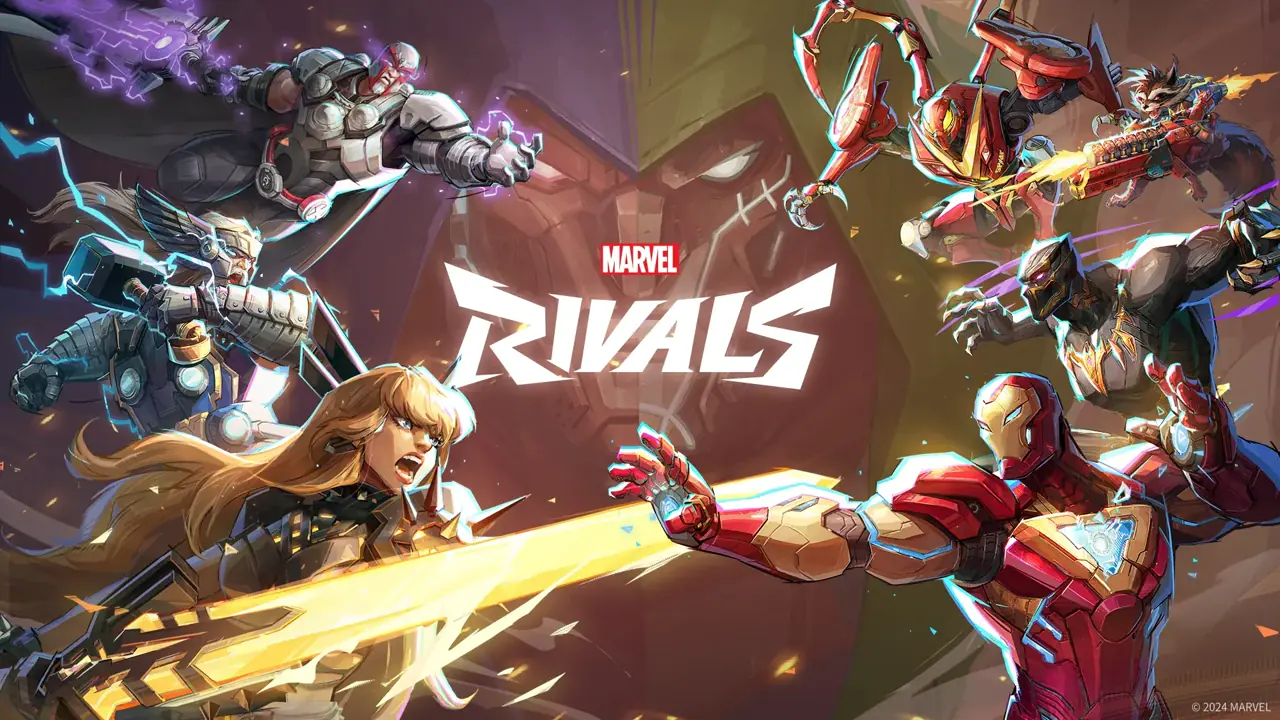
The TXCIZ Marvel Rivals suite runs on Windows 10 / Windows 11 (64-bit) (Controller & Keyboard/Mouse) starting at €4.99 EUR with instant automated Stripe key delivery. Current status: Undetected. Included modules cover Aimbot, Misc, ESP, Visuals.
| Plan | Duration | Price (EUR) | Daily Rate | Availability | Delivery |
|---|---|---|---|---|---|
| 1 Day | 1 Day | €4.99 EUR | €4.99 / day | In Stock | Instant Stripe Vault |
| 1 Week | 7 Days | €14.99 EUR | €2.14 / day | In Stock | Instant Stripe Vault |
| 1 Month | 30 Days | €39.99 EUR | €1.33 / day | In Stock | Instant Stripe Vault |
Marvel Rivals PC cheats from €4.99 with Bone Scan aimbot, Humanizer curves, Hero Chams, Health Pack ESP, and 2D radar. Instant keys.
About Marvel Rivals
FULL OVERVIEWMarvel Rivals by NetEase Games delivers chaotic 6v6 third-person hero battles powered by Unreal Engine 5 across Steam, Epic Games Store, and Loading Bay PC. With destructible map geometry, vertical flyers, dive Duelists, shield Vanguards, and high-priority Strategist healers operating under NetEase's proprietary PC anti-cheat ecosystem, visual clutter during twelve-player teamfights makes tracking backline flanks and low-health targets challenging. TXCIZ Marvel Rivals software brings crisp visual hierarchy and humanized aim control to Windows 10 and Windows 11 setups.
Different hero archetypes demand completely different tracking behavior. Hitscan sharpshooters benefit from tight FOV radii and micro-smoothed upper-chest or head locks, while high-mobility melee divers and projectile heroes rely on wider awareness and fluid camera transitions. Our Marvel Rivals Aimbot includes Lock-On and Trigger-Bot modes, Target Priority sorting (Closest to Crosshair, Lowest Health, Distance), Bone Scan, Stick To Target, Aim Key delay, and Humanizer smoothing controls that work seamlessly on both Mouse & Keyboard and controller.
Winning 6v6 objective pushes hinges on spotting flankers before they dive your Strategists and controlling map sustain. TXCIZ Player & World ESP displays exact Hero Names, player tags, live Health Bars, numerical Health Percentages, smooth skeletons, 3D Chams, and Health Pack ESP across walls and destructible structures. Knowing which nearby health station is active lets mobile Duelists and Vanguards win extended skirmishes without retreating to spawn.
Movable HUD Widgets add a 2D spatial radar, off-screen directional threat warnings, compass bearings, snaplines, FPS counters, and custom third-person crosshair presets. Because Unreal Engine 5 6v6 particle bursts already tax CPU and memory bandwidth, our renderer uses batched draw calls tuned for 16 GB+ RAM gaming PCs so teamfight frame pacing stays responsive.
Every overlay element is StreamProof, hiding Hero Chams, health bars, FOV rings, and configuration menus from OBS Studio, Streamlabs, and Discord Screen Share. You can store dedicated profiles for hitscan Duelists, frontline Vanguards, and flex Strategists inside the built-in Config Browser and swap presets between rounds.
Check live Undetected status on /status at any time. TXCIZ offers 1-Day, 1-Week, and 1-Month Marvel Rivals keys with instant Stripe delivery into your permanent /confirmation Order Vault and 24/7 Discord support.
Across competitive 6v6 Marvel Rivals queues, keeping separate Config Browser slots for hitscan Duelists (tight FOV, subtle Humanizer curve, Strategist priority) and frontline Vanguards or Strategists (wide 2D Radar scale, dive threat warnings, Health Pack state labels) ensures instant adaptation whenever your team swaps hero compositions between rounds or shifts between payload escort and domination maps.
Compatibility & Pre-Purchase Notes
VERIFIED- Compatible with Steam, Epic Games Store, and NetEase Loading Bay PC clients across 6v6 Quick Match and Competitive modes.
- Requires 16 GB+ system RAM recommended for Unreal Engine 5 teamfight stability in Windowed or Borderless Windowed mode.
- Full Mouse & Keyboard and controller support with per-hero smoothing, Flying Hero bone tracking, and Prediction toggles.
- StreamProof overlay keeps Hero ESP, Ultimate/Health Pack timers, and FOV circles hidden from OBS Studio and Discord.
System Requirements
WINDOWS PC- OSWindows 10 / Windows 11 (64-bit)
- CPUIntel & AMD CPU
- DisplayWindowed / Borderless · Controller & KBM
- RAM16 GB+ RAM
- InputController & Keyboard/Mouse
All Included Features
6 CATEGORIESAimbot
12 Settings- Max Distance
- Enabled (Toggle)
- Attributes (Filter & Priority)
- Use Aim Key (+ Alternate)
- Bones (+ Bone Scan)
- Stick to Target
- Target Color
- Auto Shoot
- FOV Circle (+ Settings)
- Smooth (+ Amount)
- Target Switch Delay (+ Amount)
- Humanizer (+ Settings)
Misc
4 Settings- Triggerbot
- FOV
- Bunny Hop
- Skin Changer
ESP
8 Settings- Players (+ Chams & Settings)
- NPCs (+ Chams & Settings)
- Health Packs (+ Settings)
- Equipments (+ Settings)
- Objectives (+ Settings)
- PvE NPCs (+ Settings)
- PvE Bosses (+ Chams & Settings)
- ESP Settings (Font size, styles & more)
Visuals
6 Settings- Radar (+ Settings)
- Compass (+ Settings)
- Crosshairs (+ Settings)
- Game Info (+ Items)
- Status Bars
- Hit Tracers (+ Settings)
Configs
12 Settings- Reset to factory settings
- Import configs from desktop
- Create config
- Rename config
- Load config
- Delete config
- Update config
- Set config as default
- Create KeyBindConfig
- Export config to desktop
- Last Edit Time
- KeyBindConfigs (10 slots)
UI Settings
6 Settings- Size Scale
- Safe Zone
- Glow Size
- Dark Mode
- Rainbow Mode
- Color
How to Start Marvel Rivals
6 STEPSFULL GUIDE →Watch the tutorial video in #📖┃guide first, then follow Steps 1–4 in order. Steps 5–6 are only for errors.
- 1Watch Video & Download Txcizware-Loader.exe (2.61 MB)
- Join Discord (discord.gg/txcizware ↗) and open #📖┃guide (Open Channel ↗)
- Watch the video tutorial first, then follow Steps 1 → 4 in order to play (Steps 5 → 6 are for errors only)
- Download
Txcizware-Loader.exe(2.61 MB) from #📖┃guide into a normal Desktop folder (never inside.zipor OneDrive) — finish Step 2 before opening it
- 2Turn Off Security & Prepare Windows
- Uninstall First: remove Riot Vanguard, FaceIT AC, Hone, NetLimiter, Omen Gaming Hub, RAV, & antivirus (Norton, Avast, AVG, Malwarebytes, McAfee, Nord; never
dcontrol) - Virus & threat → Manage settings: switch OFF all 4 toggles (Defender re-enables on reboot!)
- Firewall & network: switch OFF Domain, Private, Public
- App & browser control: switch OFF Smart App Control + 4 Reputation toggles
- Core isolation: switch OFF Memory integrity + Driver Blocklist (stuck? ON → OFF → reboot) & Dismiss
- Windows & Graphics: Win 10/11 (
24H2–26H2), Sync Time, Scale 100% (HDR OFF), Windowed/Borderless (1920x1080,DX12), close overlays (Game Bar, Discord, NVIDIA, Medal, RTSS) - BIOS (Driver Error Only): switch OFF Secure Boot, Fast Boot, Hyper-V (pause BitLocker; pre-redeem)
- Uninstall First: remove Riot Vanguard, FaceIT AC, Hone, NetLimiter, Omen Gaming Hub, RAV, & antivirus (Norton, Avast, AVG, Malwarebytes, McAfee, Nord; never
- 3Get Key & Start Game (Every Restart)
- Get License Key: copy your key from View Your Key(s) (
/confirmation) or your downloaded.txtreceipt (key timer starts when redeemed in the loader, pauses during updates, & stacks) - Open Loader (Game Closed): keep the game closed, then right-click
Txcizware-Loader.exe→ Run as Administrator (auto-updates) - Loader Account (Inside Loader): register or sign into 1 loader account (3–20 char username, no spaces, 6+ char password — keys lock to this account) and open Account → Redeem new key
- Inject: click Library → Launch for your game and wait for
[+] You can open the game now(leave the loader open) - Open Game & Press
F2: launch the game (Steam or your game launcher), wait at the Main Menu for[~] Press F2 in Main Menu, pressF2(listen for a beep), & wait for the menu to load
- Get License Key: copy your key from View Your Key(s) (
- 4Menu Controls (
Insert) & Staying Safe- Open/Close Menu: press
Insert(INS) to open or close the overlay menu; always close the menu before aiming (F2only loads it, never closes it) - 60% / Compact Keyboard: press
Fn + Insor Windows On-Screen Keyboard, then rebind in Settings → Menu Shortcut (also adjust Theme/DPI there; never bind Left Click — click Reset Default if stuck) - Play Safe (Aim-Supported Titles): keep Smoothing ON (Basic 30–40%, Prediction
1.00, Neck; skips allies), turn OFF Bone Scan, Aim at Knocked, & Stick to Target if shaky, and avoid prefiring walls (#⚙️┃share-your-configs for community configs; OBS Game Capture hides the menu) - Account Safety: only your game account gets banned (no HWID bans) — create a new game account if ever flagged (Steam Family Share is patched); never use a spoofer
- Open/Close Menu: press
- 5
Common Errors & Easy FixesHaving an error? Click to view fixes
- Closes /
0x00000001/00000000/PROVIDER_EXIT/Failed: redo Step 2 (Defender resets on reboot!), Sync Time, enableWARP (1.1.1.1), reboot, Run as Admin Unable to prepare/Design unavailable/Request failed/521/ Stuck10%/Retrieving: enableWARP (1.1.1.1)or VPN, reopen loaderAlready running/Folder permissions: reboot, moveTxcizware-Loader.exeto Desktop folder (avoid.zip/ OneDrive)Driver failed/MsSo64.sys/VBS: redo Step 2, clear PIN, disable Secure Boot, Fast Boot, Hyper-V- Crash
0xC0000005/0xC0000409/ Missing.dll: install VC++ & DirectX, update GPU drivers, close overlays, reboot HTTP 429/502:429: enableWARP (1.1.1.1)or wait 15–30m;502: retry shortlyAlready redeemed/HWID mismatch(PROVIDER_ERROR) /Password: 1 account & PC lock — open #🎫┃ticket-maker with username + Key
- Closes /
- 6
Blue Screen (BSOD) & SupportPC crashed (BSOD)? Click for support steps
- Update Drivers & VBS: run Driver Booster (decline extra app offers during install), update all drivers, turn OFF Kernel DMA Protection / VBS, & restart PC
- Still Crashing?: pack the newest
C:\Windows\Minidumpfile +C:\Windows\System32\EACLoader\injector.tosinto 1.rararchive and send it in #🎫┃ticket-maker (or send Diagnostics + error screenshot)
Marvel Rivals Build & Verification Log
v1.3.2Updated Season roster hero names, airborne hitbox bone indices, and Health Pack cooldown ESP.
- Synced Hero Name recognition and skeleton bone maps for the latest Duelist, Vanguard, and Strategist roster additions.
- Improved vertical velocity smoothing when tracking airborne and wall-climbing heroes.
- Confirmed 144+ FPS overlay pacing during destructible Unreal Engine 5 environment collapses.
Enhanced Health Pack ESP state indicators and Strategist dive threat warnings.
- Added distinct ready vs. respawning color states on map Health Pack ESP markers.
- Refined Target Priority rules so flankers and low-HP Strategists can be prioritized cleanly.
Added controller deadzone-friendly Humanizer tuning and flexible duration tiers.
- Tuned controller aim-key assist curves to blend smoothly with native stick deflection.
- Added 1-Day, 7-Day, and 30-Day license plan support in the TXCIZ vault.


Follow our Socials
For questions or support, join our Discord server or follow our official community channels.