

Instant license key delivery after Stripe checkout • Works on Windows 10 & 11 (64-bit)
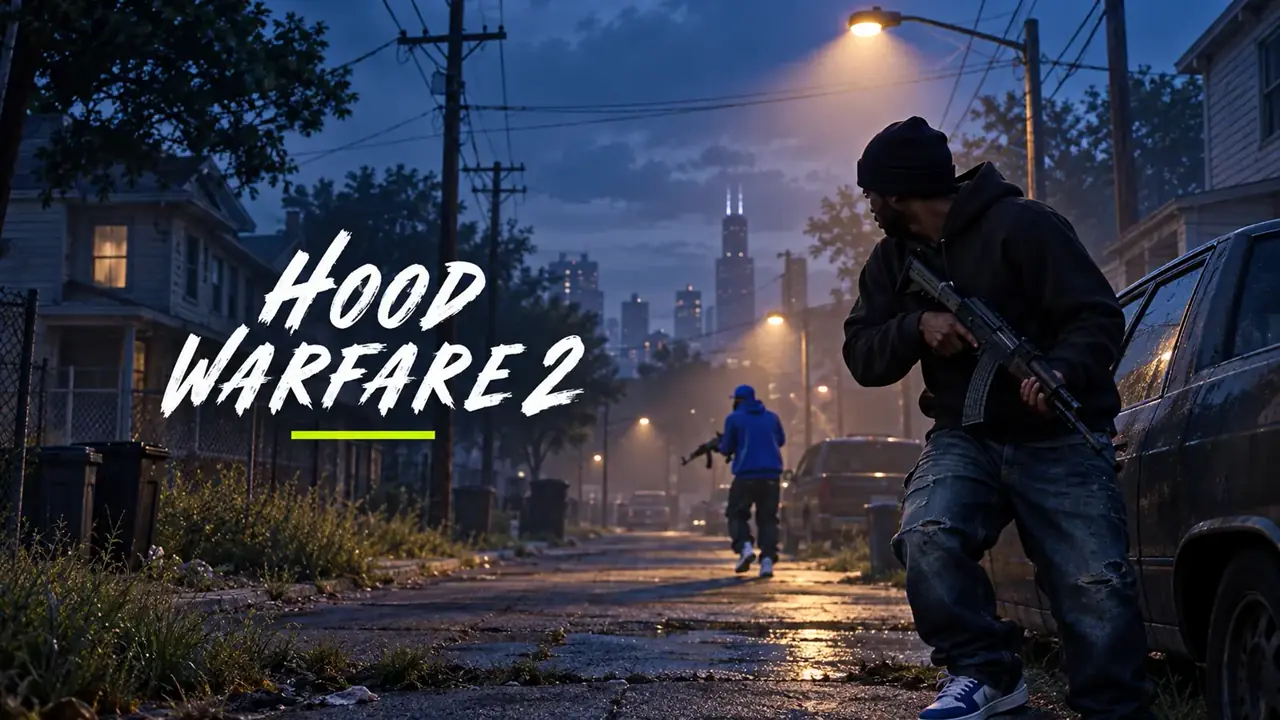
The TXCIZ Hood Warfare 2 suite runs on Windows 10 / Windows 11 (64-bit) (Keyboard & Mouse) starting at €3.99 EUR with instant automated Stripe key delivery. Current status: Undetected. Included modules cover Aimbot & Targeting, Smoothing & Aim FOV, Player ESP, Item & Objective ESP.
| Plan | Duration | Price (EUR) | Daily Rate | Availability | Delivery |
|---|---|---|---|---|---|
| 1 Day | 1 Day | €3.99 EUR | €3.99 / day | In Stock | Instant Stripe Vault |
| 1 Week | 7 Days | €14.99 EUR | €2.14 / day | In Stock | Instant Stripe Vault |
| 1 Month | 30 Days | €24.99 EUR | €0.83 / day | In Stock | Instant Stripe Vault |
Hood Warfare 2 PC cheats from €3.99 with Magic Bullet, Bone Scan aimbot, street pickup ESP, 2D radar, and camo cycler. Instant keys.
About Hood Warfare 2
FULL OVERVIEWHood Warfare 2 (commonly abbreviated as HW2 on Steam) escalates the fast-respawn street arena formula of the original Hood Warfare with vertical apartment sightlines, dark alleyways, power-weapon drops, and high-tempo Capture The Block turf wars. Because engagements happen across tight corners, rooftops, and parked cars within milliseconds, visual clarity and responsive tracking decide every round. The TXCIZ Hood Warfare 2 suite equips Windows 10 and Windows 11 players with 74 granular settings across 9 feature groups spanning legit aim assistance, outline and filled Player ESP boxes, objective ESP, and arena modifiers.
Whether you prefer subtle, human-like aim refinement or high-speed arena dominance, the HW2 Aimbot adapts to your playstyle. Legit players combine configurable Aim Key activation delay, Bone Scan, Movement Prediction, Dynamic ADS Multiplier, and our Advanced Bezier Smoothing curve visualizer on Mouse & Keyboard with customizable hotkeys. Players in custom or high-intensity lobbies also gain optional Magic Bullet targeting alongside Bunny Hop, Bullet Tracers, and a 1x-to-9x Speed Editor inside the Miscellaneous module.
Maintaining block control requires tracking respawning opponents and contested turf timers simultaneously. TXCIZ Player & World ESP displays enemy names, health bars, held-item labels, skeleton overlays, and outline, corner, or filled 2D boxes with visibility color filters alongside dedicated Capture The Block objective markers and Weapon Pickup ESP. Instead of getting blindsided from second-story windows or losing track of heavy weapon spawns, you see exact meter distances and directional threat indicators across the entire map.
Screen Visuals and movable HUD Widgets add a customizable 2D radar, directional compass, snaplines, live FPS and weapon telemetry panels, Sun Color, Fullbright, and No Fog lighting controls for dark night maps, Weapon Camo cycling, and a live-preview Crosshair editor with rotating presets.
StreamProof rendering ensures all HW2 ESP boxes, skeletons, radar blips, and menu panels stay completely invisible on OBS Studio captures and Discord screen shares. The built-in Config Browser lets you save separate legit streaming presets and full arena profiles and switch between them mid-match.
Verify live HW2 availability on this page or at /status before checkout. Every 1-Day, 1-Week, and 1-Month key delivers instantly via Stripe to your permanent /confirmation Order Vault with 24/7 TXCIZ Discord support.
In fast-respawn Hood Warfare 2 street lobbies, start with a compact 4.0-degree FOV ring, Bone Scan enabled across Head, Neck, and Upper Chest, and visible-enemy skeleton colors paired with subtle Fullbright and No Fog lighting so dark alley peeks and Capture The Block rooftop pushes remain readable without obscuring your center reticle. Separate Config Browser slots let you swap between natural Bezier aim setups and arena Magic Bullet or Weapon Camo presets on the fly.
Compatibility & Pre-Purchase Notes
VERIFIED- Designed for the Steam PC version of Hood Warfare 2 (HW2) across Capture The Block, Team Deathmatch, and street arena playlists.
- Supports Mouse & Keyboard input with customizable hotkeys in Windowed or Borderless Windowed display modes.
- Includes legit Bezier smoothing alongside advanced arena modules (Magic Bullet, Bunny Hop, Speed Editor, Bullet Tracers, and Weapon Camo cycling).
- StreamProof overlay protection hides skeleton overlays, Capture The Block zone timers, and HUD widgets from OBS and Discord streams.
System Requirements
WINDOWS PC- OSWindows 10 / Windows 11 (64-bit)
- CPUIntel & AMD CPU
- DisplayWindowed / Borderless
- RAM8 GB+ RAM
- InputKeyboard & Mouse
All Included Features
9 CATEGORIESAimbot & Targeting
9 Settings- Enable aimbot with optional aim key
- Adjustable aim-key delay
- Magic Bullet toggle
- Five target-priority modes
- Target bone selection and bone scan
- Stick-to-target control
- Non-visible target selection
- Maximum target distance
- Movement prediction
Smoothing & Aim FOV
7 Settings- Basic Smooth, Balanced and Aggressive profiles
- Basic strength and Humanized controls
- Advanced aim speed and assist strength
- Bezier curve points, random factor and endpoint noise
- Aim-path and assist-point visualizer
- Adjustable targeting FOV radius and color
- Dynamic FOV multiplier when aiming down sights
Player ESP
10 Settings- Outline, corner and filled boxes
- Skeleton overlay
- Player names and held-item labels
- Distance labels
- Health bar and health percentage
- Team, enemy and self filters
- Ignore non-visible players option
- Player render-distance control
- Friendly, enemy and visible-enemy colors
- ESP preview with editable element placement
Item & Objective ESP
9 Settings- Weapon pickups
- Ammo boxes and medkits
- Objective and bomb markers
- Bullet markers
- Drive-by car markers
- Suicide blast markers
- Item names and distance labels
- Outline, corner and filled item boxes
- Item color and maximum-distance controls
Radar & Awareness
8 Settings- Radar size, scale and blip-radius controls
- Directional compass
- Compass bar with player and team markers
- Off-screen direction arrows
- Distance-scaled indicators
- Marker size and screen-padding controls
- Friendly, enemy and visible-player snaplines
- Threat-warning widget
HUD & Crosshair
7 Settings- Custom crosshair with presets
- Crosshair color, gap, length and thickness
- Crosshair rotation controls
- FPS counter and frame-history graph
- Equipped-weapon and loaded-ammo widgets
- Healthbar widget
- Widget opacity and layout reset
Graphics Controls
6 Settings- Enable or disable graphics overrides
- Disable film grain
- Disable chromatic aberration
- Disable motion blur
- Disable depth of field
- Camera field-of-view override
Configuration Profiles
5 Settings- Save named configurations
- Browse and load saved profiles
- Delete custom profiles
- Default profile retained
- Keep separate aim and visual setups
Miscellaneous
13 Settings- Bunny Hop with configurable keybind
- In-game music playback
- Previous, next, pause, resume and volume controls
- Movable Music Player widget
- Bullet tracers starting at the weapon muzzle
- Customizable tracer color, thickness and duration
- Optional impact markers with custom color
- Sun Color, Fullbright and No Fog
- Fullbright brightness slider
- Lighting on the right side of Miscellaneous
- Camo selector with Off, Automatic Cycle and Selected Camo modes
- Adjustable camo cycling interval (0.1–15 seconds)
- Speed editor with 1×–9× multiplier
How to Start Hood Warfare 2
6 STEPSFULL GUIDE →Watch the tutorial video in #📖┃guide first, then follow Steps 1–4 in order. Steps 5–6 are only for errors.
- 1Watch Video & Download Txcizware-Loader.exe (2.61 MB)
- Join Discord (discord.gg/txcizware ↗) and open #📖┃guide (Open Channel ↗)
- Watch the video tutorial first, then follow Steps 1 → 4 in order to play (Steps 5 → 6 are for errors only)
- Download
Txcizware-Loader.exe(2.61 MB) from #📖┃guide into a normal Desktop folder (never inside.zipor OneDrive) — finish Step 2 before opening it
- 2Turn Off Security & Prepare Windows
- Uninstall First: remove Riot Vanguard, FaceIT AC, Hone, NetLimiter, Omen Gaming Hub, RAV, & antivirus (Norton, Avast, AVG, Malwarebytes, McAfee, Nord; never
dcontrol) - Virus & threat → Manage settings: switch OFF all 4 toggles (Defender re-enables on reboot!)
- Firewall & network: switch OFF Domain, Private, Public
- App & browser control: switch OFF Smart App Control + 4 Reputation toggles
- Core isolation: switch OFF Memory integrity + Driver Blocklist (stuck? ON → OFF → reboot) & Dismiss
- Windows & Graphics: Win 10/11 (
24H2–26H2), Sync Time, Scale 100% (HDR OFF), Windowed/Borderless (1920x1080,DX12), close overlays (Game Bar, Discord, NVIDIA, Medal, RTSS) - BIOS (Driver Error Only): switch OFF Secure Boot, Fast Boot, Hyper-V (pause BitLocker; pre-redeem)
- Uninstall First: remove Riot Vanguard, FaceIT AC, Hone, NetLimiter, Omen Gaming Hub, RAV, & antivirus (Norton, Avast, AVG, Malwarebytes, McAfee, Nord; never
- 3Get Key & Start Game (Every Restart)
- Get License Key: copy your key from View Your Key(s) (
/confirmation) or your downloaded.txtreceipt (key timer starts when redeemed in the loader, pauses during updates, & stacks) - Open Loader (Game Closed): keep the game closed, then right-click
Txcizware-Loader.exe→ Run as Administrator (auto-updates) - Loader Account (Inside Loader): register or sign into 1 loader account (3–20 char username, no spaces, 6+ char password — keys lock to this account) and open Account → Redeem new key
- Inject: click Library → Launch for your game and wait for
[+] You can open the game now(leave the loader open) - Open Game & Press
F2: launch the game (Steam or your game launcher), wait at the Main Menu for[~] Press F2 in Main Menu, pressF2(listen for a beep), & wait for the menu to load
- Get License Key: copy your key from View Your Key(s) (
- 4Menu Controls (
Insert) & Staying Safe- Open/Close Menu: press
Insert(INS) to open or close the overlay menu; always close the menu before aiming (F2only loads it, never closes it) - 60% / Compact Keyboard: press
Fn + Insor Windows On-Screen Keyboard, then rebind in Settings → Menu Shortcut (also adjust Theme/DPI there; never bind Left Click — click Reset Default if stuck) - Play Safe (Aim-Supported Titles): keep Smoothing ON (Basic 30–40%, Prediction
1.00, Neck; skips allies), turn OFF Bone Scan, Aim at Knocked, & Stick to Target if shaky, and avoid prefiring walls (#⚙️┃share-your-configs for community configs; OBS Game Capture hides the menu) - Account Safety: only your game account gets banned (no HWID bans) — create a new game account if ever flagged (Steam Family Share is patched); never use a spoofer
- Open/Close Menu: press
- 5
Common Errors & Easy FixesHaving an error? Click to view fixes
- Closes /
0x00000001/00000000/PROVIDER_EXIT/Failed: redo Step 2 (Defender resets on reboot!), Sync Time, enableWARP (1.1.1.1), reboot, Run as Admin Unable to prepare/Design unavailable/Request failed/521/ Stuck10%/Retrieving: enableWARP (1.1.1.1)or VPN, reopen loaderAlready running/Folder permissions: reboot, moveTxcizware-Loader.exeto Desktop folder (avoid.zip/ OneDrive)Driver failed/MsSo64.sys/VBS: redo Step 2, clear PIN, disable Secure Boot, Fast Boot, Hyper-V- Crash
0xC0000005/0xC0000409/ Missing.dll: install VC++ & DirectX, update GPU drivers, close overlays, reboot HTTP 429/502:429: enableWARP (1.1.1.1)or wait 15–30m;502: retry shortlyAlready redeemed/HWID mismatch(PROVIDER_ERROR) /Password: 1 account & PC lock — open #🎫┃ticket-maker with username + Key
- Closes /
- 6
Blue Screen (BSOD) & SupportPC crashed (BSOD)? Click for support steps
- Update Drivers & VBS: run Driver Booster (decline extra app offers during install), update all drivers, turn OFF Kernel DMA Protection / VBS, & restart PC
- Still Crashing?: pack the newest
C:\Windows\Minidumpfile +C:\Windows\System32\EACLoader\injector.tosinto 1.rararchive and send it in #🎫┃ticket-maker (or send Diagnostics + error screenshot)
Hood Warfare 2 Build & Verification Log
v1.2.5Updated Steam HW2 offsets for Capture The Block zone progress indicators and Weapon Pickup ESP.
- Synchronized Capture The Block ESP progress timers and contested boundary markers with the latest Steam build.
- Refined Bone Scan fallback order so partial cover fights transition smoothly from Head/Neck to Chest.
- Added 3 new high-contrast visible-enemy box and skeleton color presets for dark night-map alleys.
Improved Sun Color ambience and automatic Weapon Camo persistence across respawns.
- Persisted selected Weapon Camo and Sun Color ambience settings automatically after death/respawn cycles.
- Tuned Dynamic ADS Multiplier scaling for compact SMGs and drum-magazine rifles.
Full HW2 release featuring 74 configurable settings across 9 modular feature groups.
- Launched Aimbot, Player ESP, Screen Visuals, HUD Widgets, Crosshair Editor, and Exploits/Misc config system.
- Added save/load/delete profile browser for instant switching between Legit Street and Arena presets.


Follow our Socials
For questions or support, join our Discord server or follow our official community channels.