
Aimbot Page 1 Setup: Aim Keys, Distance & Bone Selection
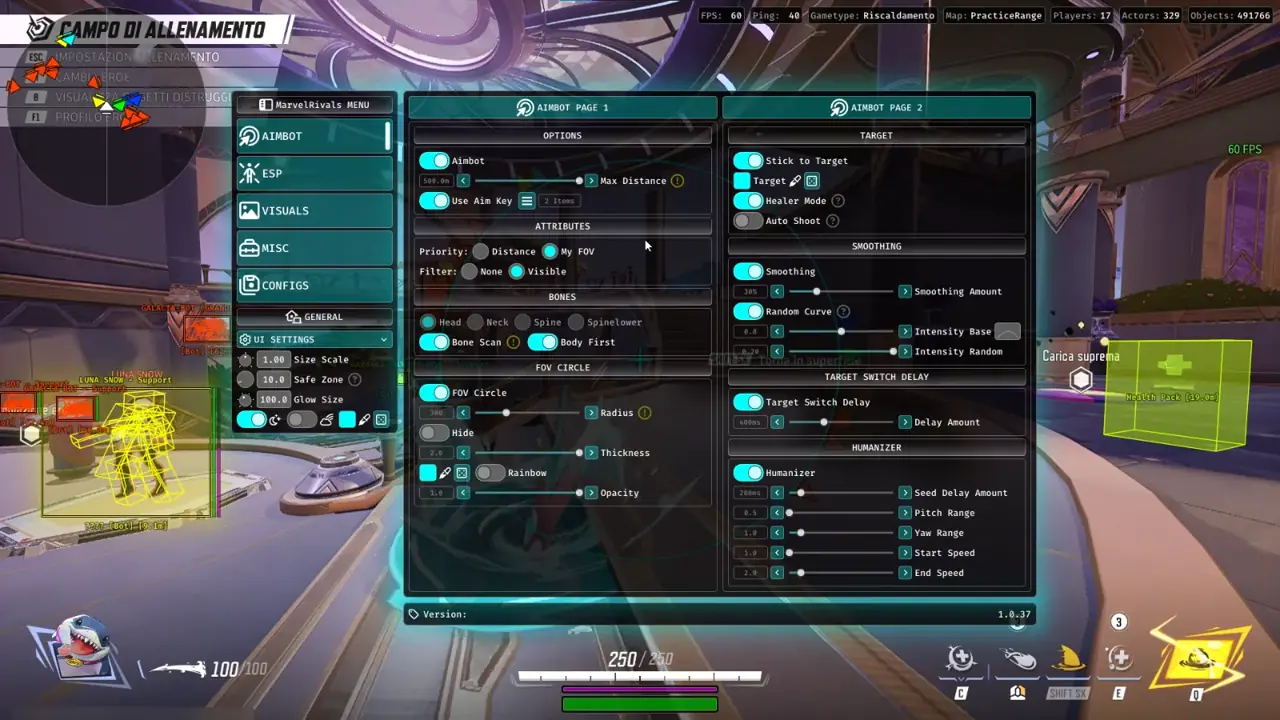
TXCIZ Marvel Rivals splits Page 1 Bone Scan aim (500m, visible checks) from Page 2 Humanizer curves on Win 10 and Win 11 64-bit PCs (16 GB+ RAM), giving Duelists and Healer Mode Strategists smooth Mouse and controller tracking in 6v6 queues.
Set Maximum Distance up to 500m and bind both primary and alternate keys under Use Aim Key. Pairing a mouse thumb key with a controller trigger lets you transition seamlessly.
- Target Priority: Pick My FOV to track targets near your crosshair, or Distance for melee brawlers.
- Visibility Filter: Switch Filter to
Visibleso payload walls and barriers always block aim locks. - Bone Selection: Pick
Head,Neck,Spine, orSpinelower, or toggle Body First for burst control. - Bone Scan: Tracks any exposed torso or limb joint when helmets hide behind Vanguard shields.
Tracking Aerial Flyers & Fast Dive Heroes with Bone Scan
Airborne Duelists like Iron Man and Storm plus vertical swingers like Spider-Man shift elevation faster than static head locks can follow.
With Bone Scan active, the solver checks Head, Neck, Spine, and Pelvis continuously and locks whichever exposed joint maintains clean tracking.
| Hero Archetype & Role | Target Priority Mode | Recommended Bone Setting | Smoothing & Humanizer Target |
|---|---|---|---|
| Hitscan Duelists (Punisher, Hela) | My FOV Priority | Head / Neck · Bone Scan On | 25% Smoothing · Seed 200ms, Pitch 0.5, Yaw 1.0 |
| Tracking Duelists (Star-Lord, Iron Man) | My FOV Priority | Spine / Body First · Stick On | 35% Smoothing · Random Curve · Intensity 0.8 |
| Melee & Dive Brawlers (Spider-Man, Magik) | Distance Priority | Spinelower / Pelvis · Bone Scan On | 15% Smoothing · Switch Delay 300ms |
| Strategist Healers (Luna Snow, Mantis) | Distance Priority | Spine / Neck · Healer Mode On | 40% Smoothing · Pitch 1.0, Yaw 1.5 |
Tuning FOV Circle Size and Max Distance Clamps
Your FOV Circle defines the circular pixel window around your reticle where targets qualify for lock-on during chaotic 6v6 fights.
Keep Radius compact (100px to 180px at 1080p), set Thickness (2.0px) and Opacity (1.0), or enable Hide while keeping tracking active.
Clamp Max Distance to 150m or 200m on long lanes like Yggsgard so distant fliers never drag your camera off nearby objective fights.
- Hitscan Control: Start near
120pxradius so micro-adjustments stay natural in killcams. - Stream Hygiene: Enable Hide on the visual ring when capturing matches in OBS Studio.
Aimbot Page 2: Stick to Target, Random Curve & Humanizer
Aimbot Page 2 shapes camera velocity and organic wrist variation so tracking holds steady without mechanical snapping on MVP replays.
Turn on Stick to Target so crossing enemies never break focus. Dial Smoothing Amount between 12% and 35%, and set Target Switch Delay (300ms-400ms).
- Target Color Picker: Assign a bright hue to locked targets so acquisition states confirm at a glance.
- Triggerbot Pairing: Enable Triggerbot under Misc (
02) for crisp cross-angle Hela or Hawkeye shots.
Random Curve and Humanizer Parameters
Combine Random Curve (0.8 Intensity Base, 0.20 Intensity Random) with Humanizer (200ms Seed Delay, 0.5 Pitch, 1.0 Yaw, 1.0 Start Speed, 2.0 End Speed) for natural micro-arcs.
Healer Mode, Triggerbot & Quick Config Keybind Slots
Strategist picks like Luna Snow, Mantis, and Loki toggle Healer Mode to lock healing beams and shots onto injured teammates mid-brawl.
Bind 10 KeyBindConfig slots to hotkeys (F1 Duelist, F2 Healer) and run through this 7-step Practice Range sequence:
- Set Max Distance to
200mand bind primary mouse or controller aim keys. - Switch Priority to My FOV and set Filter to
Visible. - Select
Neckas primary bone and toggle Bone Scan on for vertical targets. - Set a
120px-150pxFOV Radius and verify size inside Practice Range. - Enable Stick to Target with
25%-30%Smoothing and Random Curve active. - Set Target Switch Delay to
350-400msand Humanizer Seed Delay to200ms. - Test bot tracking plus Healer Mode on support swaps, then save to Config Slot 1.
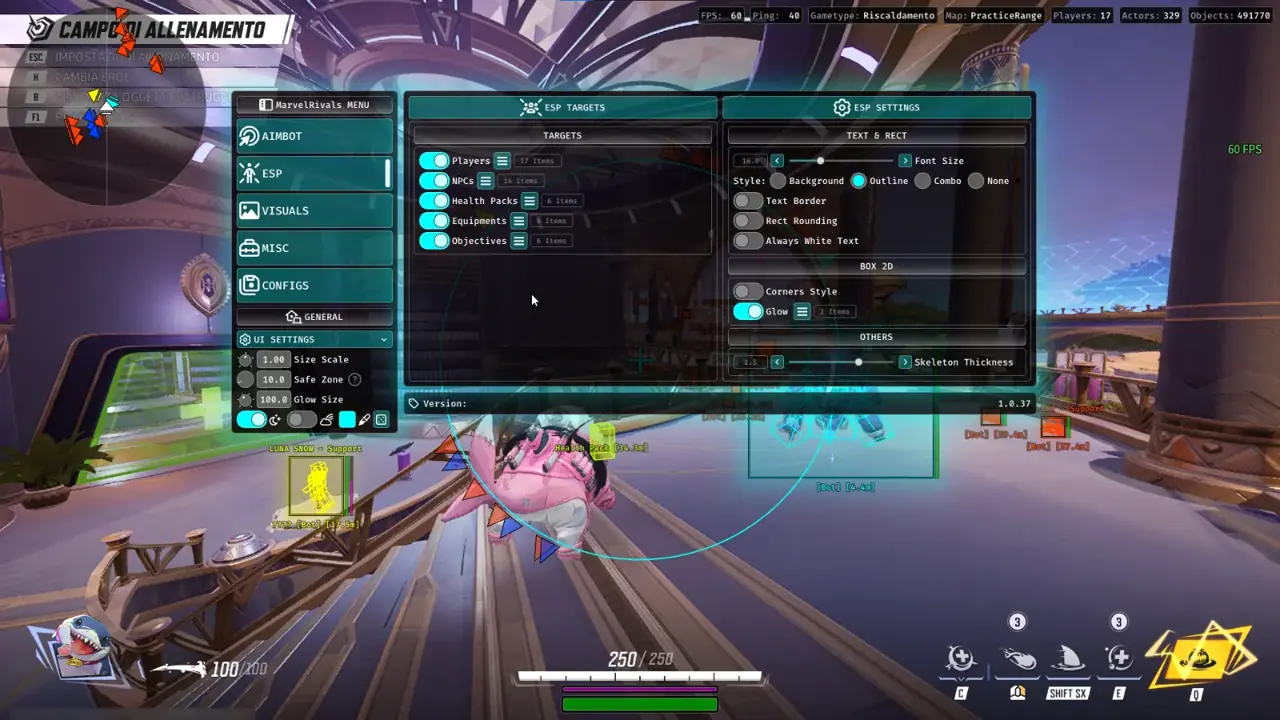
Review full 6v6 HUD layouts in our Marvel Rivals Hero ESP & 2D Radar Guide or check controller setups in our Controller & Ranked Aimbot Guide.
Control flankers via our Hero Chams & Health Pack Timer Guide, verify Live Cheat Status, read Windows 10 & 11 Setup Guide, and explore Marvel Rivals PC Cheats.
Prerequisites, Expected Outcome & Fast Triage
Confirm these Marvel Rivals system checks before running Txcizware-Loader.exe (2.61 MB) across Steam, Epic, or Loading Bay.
- Prerequisites: Windows 10/11 64-bit (
24H2-26H2), 16 GB+ RAM, Windowed/Borderless (100%DPI, HDR OFF), Step 2 toggles OFF,/statusbadge Undetected. - Expected Outcome: Library Launch displays [+] You can open the game now; pressing
F2at Main Menu triggers a beep for theInsertoverlay; OBS stays StreamProof.
Fast Triage for Common Loader and Overlay Issues
Apply these targeted steps if injection fails, network checks hang, or your overlay drifts.
- Closes or 0x00000001: Redo Step 2 Defender switches after reboot, sync Windows Time, and activate
WARP(1.1.1.1). - Stuck 10% or 521 / 429: Enable Cloudflare
WARP(1.1.1.1) or wait15-30minutes for429cooldowns. - FOV ring shifted or absent: Use Borderless/Windowed at
100%scale and exit NVIDIA, Discord, or RTSS overlays. - BSOD or MsSo64.sys: Update drivers, keep HVCI and Hyper-V off (pause BitLocker first), and send
Minidumpplusinjector.tosto #🎫┃ticket-maker.

