
Countering Spectator Recon Drones and Flashlight Ambush Meta
The TXCIZ Bodycam Suite isolates airborne spectator drones from ground weapon pickups using 8 independent settings in 05. Weapon & Drone ESP on Windows 10/11 64-bit, exposing silent recon cameras and dark room campers without turning on your tactical weapon flashlight.
Eliminated opponents in Bodycam immediately pilot agile recon drones to ping surviving players for teammates, while switching on a helmet or barrel flashlight advertises your exact hallway angle from three rooms away. Tracking drones in 3D space while illuminating rooms locally eliminates both blind spots.
Separating Aerial Drone Boxes from Dropped Weapon Labels
Assigning separate colors, maximum-distance sliders, and bounding styles inside 05. Weapon & Drone ESP prevents fallen shotguns or rifles from masking an approaching ceiling drone during tense 1v2 clutches. Use 3D Outline Bounding Boxes for flying drones so overhead height above stairwells reads immediately.
- 3D Outline vs 3D Filled Boxes: Render drones with distinct cyan 3D outlines so hovering height and wall proximity read instantly.
- Separate Distance Sliders: Keep Drone ESP out to 60 m for early rotor scouting while limiting dropped Weapon ESP to 25–35 m.
- Flashlight-Free Scouting: Pair low-intensity Fullbright with glowing Player Chams to clear pitch-black closets silently.
Map-Specific CQB Distance Caps Across Bodycam Arenas
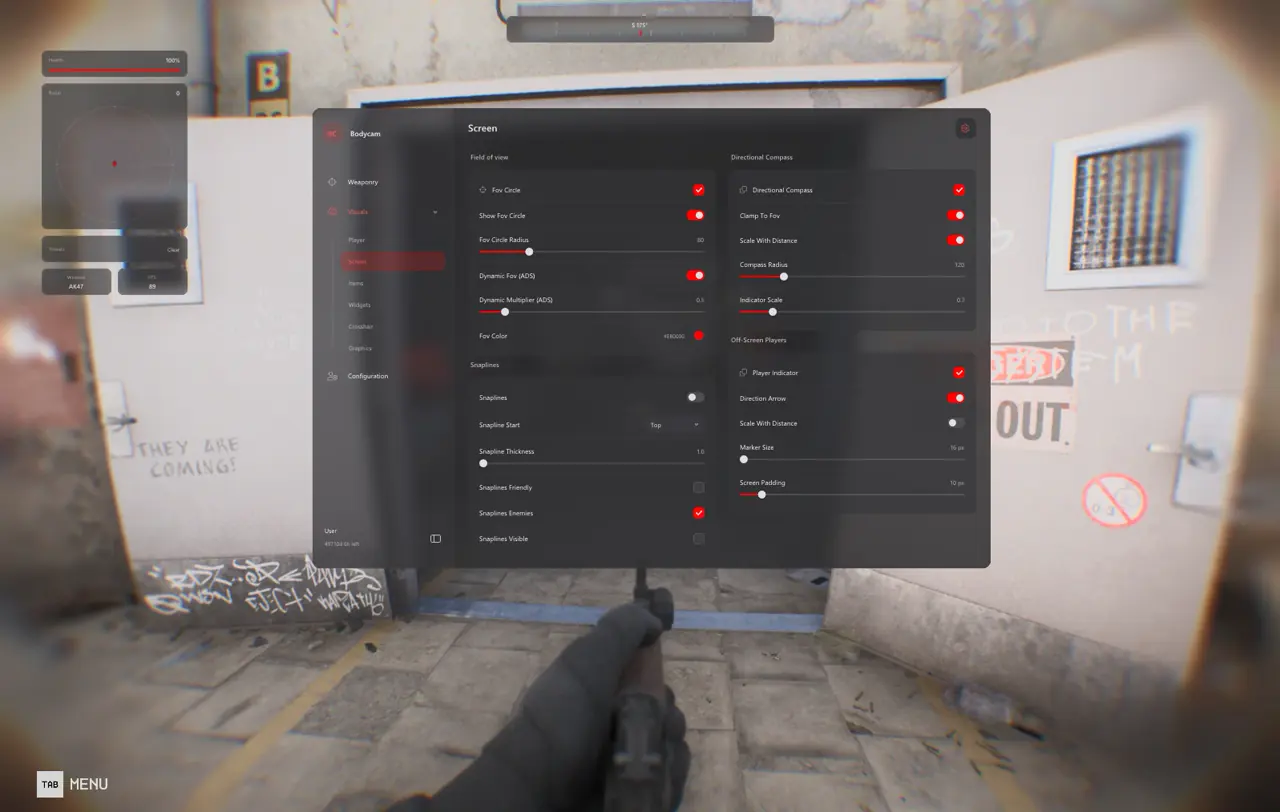
Compact three-story buildings require tight vertical range caps so distant spawn corridors never overlap immediate doorway corners, while open rigs demand extended sightlines and Off-Screen Player Markers from 06. Screen Visuals.
Indoor maps like Worn House and Abandoned Hospital stack tight staircases and crawlspaces across multiple levels, whereas industrial maps such as Tumblewood and Oil Rig feature exposed exterior catwalks and long-range sniper lanes.
| Map Archetype | Player and Drone ESP Cap | 2D Radar Scale | Ambient Visibility Setting |
|---|---|---|---|
| Worn House and Hospital (Indoor CQB) | 45 m · Thin Skeletons + 3D Drone Boxes | 25 m Tight Floor Scale | Fullbright 50% + Custom Sun Color |
| Airsoft and Russian Building | 65 m · 2D Corner Box + Weapon Label | 40 m Mid-Range Scale | Balanced Contrast + Film Grain OFF |
| Tumblewood and Oil Rig (Open Sightlines) | 120 m · Skeletons + Threat Arrows | 70 m Perimeter Scale | Natural Horizon + 0.55x ADS Scale |
Managing 40-Second Body Bomb Plant and Defusal Timers
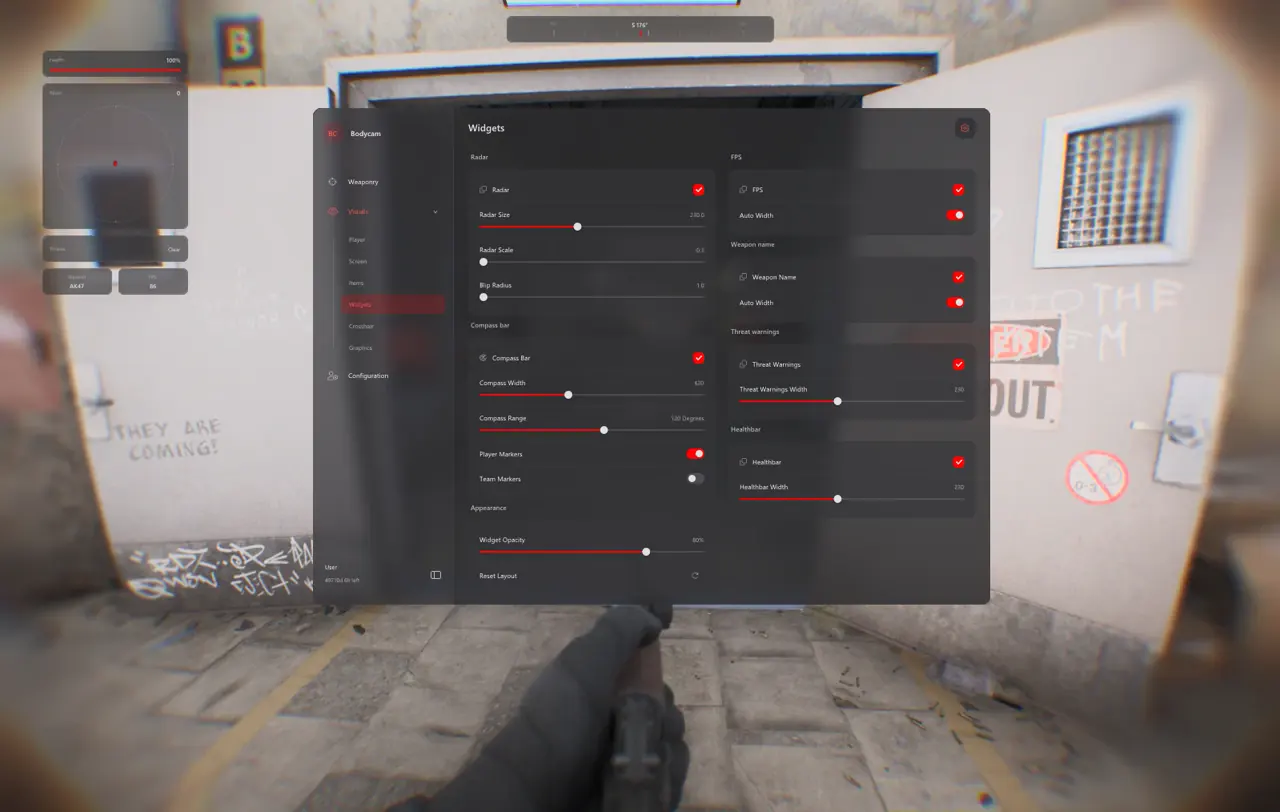
Once attackers plant the Body Bomb, defenders rotate aggressively along adjacent stairwells and exterior balconies. Pairing 07. Radar & HUD Widgets with Ignore Non-Visible color shifts in 04. Player ESP & Chams warns you immediately when a defuser steps clear of concrete pillars.
- Movable 2D Radar (150–180 px): Monitor adjacent soft walls during post-plant holds without spinning your camera.
- Weapon Display Labels: Know whether the pushing defender carries a one-pump shotgun or automatic rifle before peeking.
- Threat-Warning Widget: Triggers edge indicators the moment a defuser sweeps across your corridor.
- Compass Bar + Screen Padding: Keep directional Off-Screen Player Markers tucked neatly outside your center sightline.
Balancing Thin 1px Skeletons with Muted Occluded Chams
Overly thick boxes hide subtle doorway laser sights or peeking muzzles in dark rooms. Configure 04. Player ESP & Chams with 1 px visible-only skeletons or subtle low-glow slate occluded Chams alongside Drag-and-Drop layout positioning so health percentages and weapon names sit cleanly beside character silhouettes.
Four Tactical Steps for 1vX Drone and Body Bomb Clutches
Use Drone, Weapon, and Body Bomb telemetry systematically while keeping Steam gameplay clips clean and StreamProof.
- Check Live Cheat Status and configure Windows Step 2 prep via the Windows Setup Guide before launching Steam.
- In 05. Weapon & Drone ESP, enable Drone ESP with 3D outline boxes out to 60 m and set Weapon ESP to 30 m.
- Wait until an enemy spectator drone's rotor audio enters earshot before snapping up to shoot it so rotations stay organic.
- Swap between your saved
CQB_Bomb(45 m) andOpen_Rig(120 m) configs in 10. Configuration & Interface as map votes rotate.
Deepen your Bodycam setup with our Bodycam Controller, Crosshair and Trigger Guide and Bodycam UE5 Clarity and Fullbright Guide, or inspect instant license durations on the Bodycam Product Page.
Prerequisites, Expected Outcome and Fast Triage
Maintaining 100% Windows DPI scale in Borderless Windowed mode keeps 3D Drone boxes, Player Chams, and 2D Radar blips pixel-aligned across dark UE5 corridors and wide industrial catwalks.
Pre-Match Readiness and Error Triage
Verify OBS Game Capture isolation in private lobbies before queueing ranked Body Bomb matches. Always close the Insert menu prior to gunfights (F2 loads the injector only and never hides the overlay menu).
- Prerequisites: 64-bit Windows 10/11 (
24H2–26H2), 16 GB+ RAM, Steam client, Borderless display at100%scale, Step 2 Windows Security toggles OFF. - Expected Outcome:
F2injects at Main Menu with an audible chime;Inserttoggles 3D Drone boxes and Radar while OBS Game Capture remains 100% StreamProof. - Fast Triage: If 3D Drone boxes drift off drones, set Windows DPI Scale to
100%and confirm Borderless mode; if loader network checks stall (521or10%), enable CloudflareWARP(1.1.1.1).
Continue tuning CQB presets with our Bodycam Controller, Crosshair and Trigger Guide and Bodycam UE5 Clarity and Fullbright Guide, review Live Cheat Status and the Windows Setup Guide, or compare access tiers on the Bodycam Product Page.

