
Solving Uncoupled Barrel Inertia and Missing Hipfire Reticles
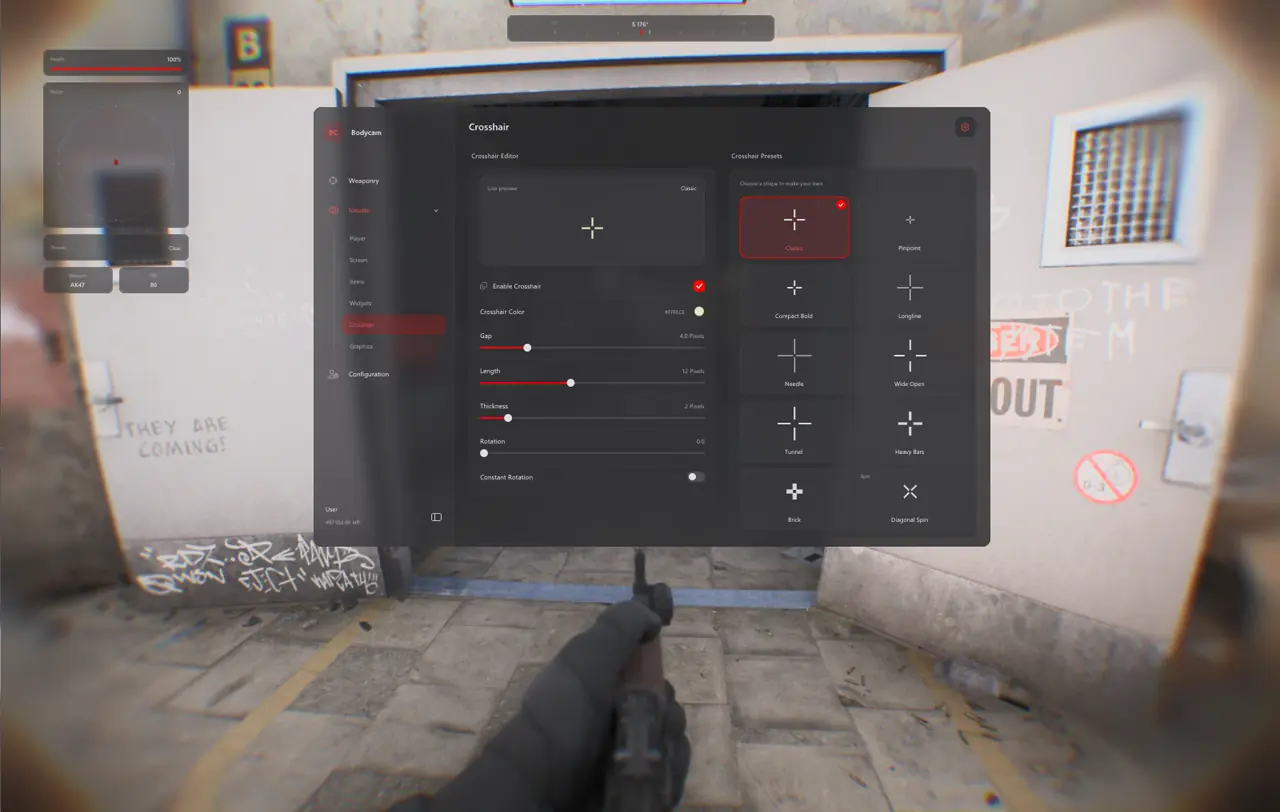
The TXCIZ Bodycam Suite solves uncoupled barrel lag and GoPro fisheye curvature across 02. Trigger Bot, 03. Aim Smoothing, 09. Custom Crosshair, and 10. Configuration & Interface on Windows 10/11 64-bit, giving both Xbox/DualSense controllers and Mouse users steady doorway centering.
Because Reissad Studio animates hands and barrels independently from rigid screen center with zero default hipfire dot, abrupt linear aimbots fight weapon inertia and create obvious camera wobble. Static center dots paired with damped Bezier curves keep gunplay smooth.
Crosshair, Controller Deadzone, and Trigger-Bot Presets
Pair these tested 09. Custom Crosshair, 03. Aim Smoothing, and 02. Trigger Bot values to match rifle holds, shotgun pushes, or native gamepad play.
| Playstyle Preset | 09. Custom Crosshair | FOV and Bone Target | 02. Trigger Bot and Smoothing |
|---|---|---|---|
| Realistic CQB Rifle | 2 px Emerald Dot (0 Gap) | 3.5° FOV · Upper Chest and Neck | Slow-Entry Bezier · Lock-On Hold |
| Point-Blank Shotgun / Pistol | 4 px Tight Crosshair | 5.0° FOV · Sternum Bone Scan | Medium Bezier + Trigger-Bot (30 ms) |
| Native Controller Tactical | 2 px Cyan Dot | 4.5° FOV · Nearest Visible Bone | 3% Stick Deadzone · 35 ms Delay · 1.0x Trigger |
When to Choose Passive Trigger-Bot Over Active Aimbot
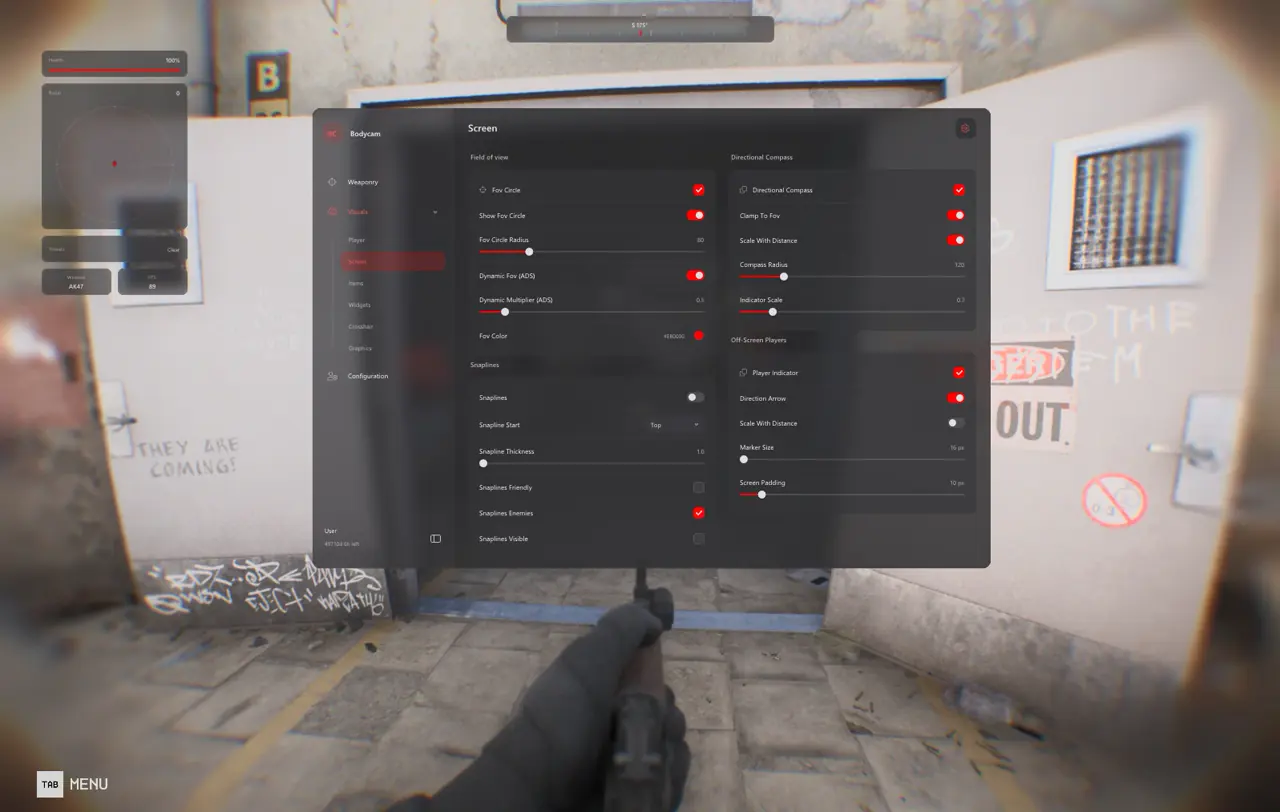
Group 02. Trigger Bot runs completely independently of 01. Aimbot & Magic Bullet, firing only when an enemy skeletal bone intersects your customizable reticle radius. Meanwhile, 03. Aim Smoothing exposes Aim Speed, Assist Strength, Control Points, Random Factor, and the Aim-Path Visualizer with adjustable path color and fade timing.
Switching between active Lock-On and passive Trigger-Bot inside 02. Trigger Bot lets close-quarters anchors hold narrow doorway cracks cleanly while keeping fisheye sweeps completely manual until enemies cross your static reticle.
- Reaction Delay (25–45 ms): Adds natural human reflex pacing when holding tight doorway cracks with rifles.
- Radius Multiplier (0.25x–2.0x): Shrinks or widens hitbox trigger margins around your static crosshair.
- Hold-Only Activation Paddle: Bind Trigger-Bot to a mouse thumb button or controller paddle to avoid accidental doorway shots.
- Slow-Entry Bezier Curve: Taper Control Point 1 below 0.40 so free-aim barrel lag catches up smoothly without whiplash.
- Paginated Config Browser: Store separate semi-auto pistol, pump shotgun, and full-auto SMG presets inside 10. Configuration & Interface.
Five Steps for Smooth Controller and Free-Aim Calibration
Follow this five-step tuning workflow to prevent fisheye whiplash and controller stick drift inside 10. Configuration & Interface.
- Check Live Cheat Status and complete Windows prep on our Windows Setup Guide before launching Steam.
- Open 09. Custom Crosshair, choose a compact 2 px emerald or cyan center dot, and verify 100% Borderless alignment.
- On Xbox or DualSense controllers, raise your in-game right-stick inner deadzone by 3% so micro-drift never shakes target lock.
- In 02. Trigger Bot or 03. Aim Smoothing, select a 35 ms reaction delay with slow-entry Bezier curves and Target Non-Visible OFF.
- Save distinct
CQB_ControllerandRifle_Crosshairpresets inside 10. Configuration & Interface for instant swaps.
Prerequisites, Expected Outcome and Fast Triage
Requires 64-bit Windows 10/11 (24H2–26H2), 16 GB+ RAM, Steam Windowed or Borderless mode at 100% scale, and Step 2 toggles OFF. Expect steady center-screen dot tracking, clean Trigger-Bot doorway shots, and StreamProof OBS capture. If your crosshair drifts off center, disable HDR scaling or reset Windows display scale to 100%; if Txcizware-Loader.exe rejects launch, rerun Step 2 and enable WARP.
Combine this inertia preset with 3D recon defense in our Bodycam Drone ESP and Body Bomb Guide and full module breakdowns in our Bodycam Complete 10-Group Feature Guide, or browse live durations on the Bodycam Product Page.
Check live build availability on Live Cheat Status and follow the Windows Setup Guide before loading controller or trigger profiles.

