
Micro-Aim Mechanics, Occlusion Rules, and One-Shot Headshots
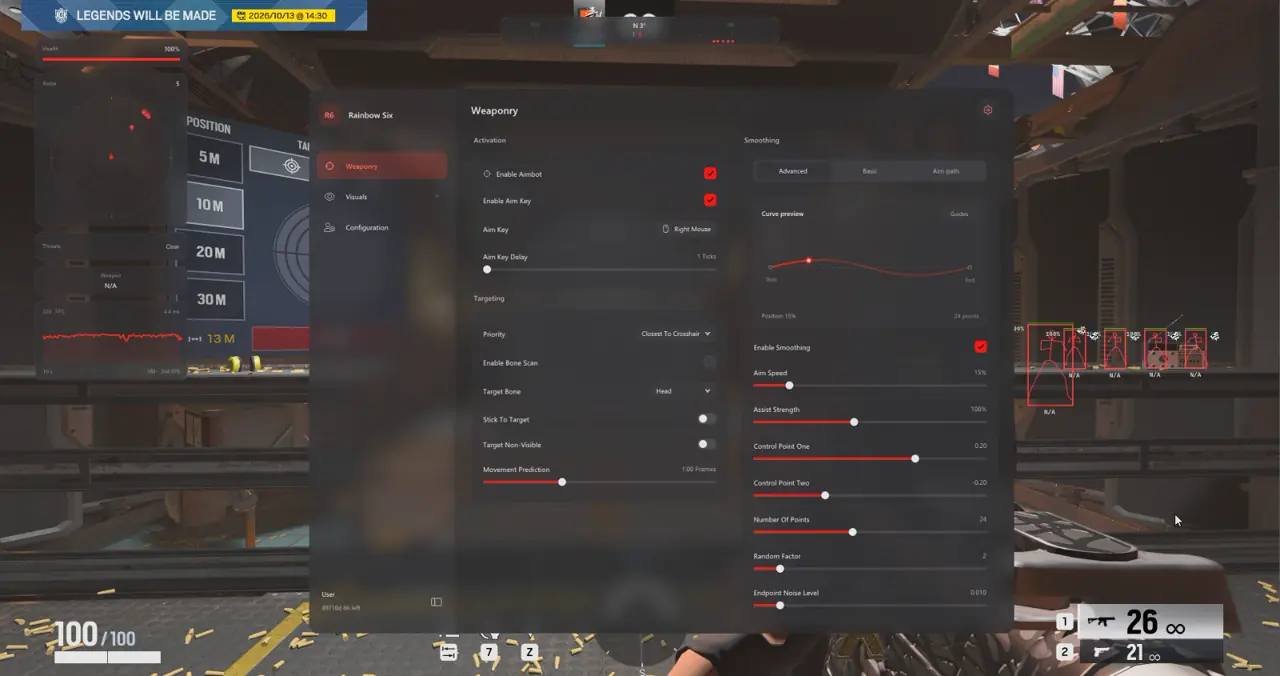
The TXCIZ Rainbow Six Siege Aimbot Suite pairs 9 targeting filters with 9 Aim Smoothing curve parameters to guide crosshair travel smoothly onto exposed head or neck bones without snapping onto reinforced walls during tight pixel peeks and bullet-hole angles.
Because any firearm eliminates an opponent in one headshot, aggressive wide-angle flicking harms angle discipline and flags match replays. Subtle micro-guidance preserves natural wrist aim while stabilizing final reticle placement against rapid crouch-lean peeks.
Why Target Non-Visible Must Stay Off in Siege
Destructible drywall tempts automated targeting through unbreached rooms unless strict occlusion filtering stays enforced. Leaving Target Non-Visible unchecked ensures assistance engages strictly after an enemy's hitbox clears solid geometry.
- Aim Key + Activation Delay: Bind a deliberate hold key (Mouse4 or ADS) with 1–3 ticks delay to mimic natural reaction pacing.
- Stick To Target: Prevents target hopping when two defenders cross inside a narrow hallway.
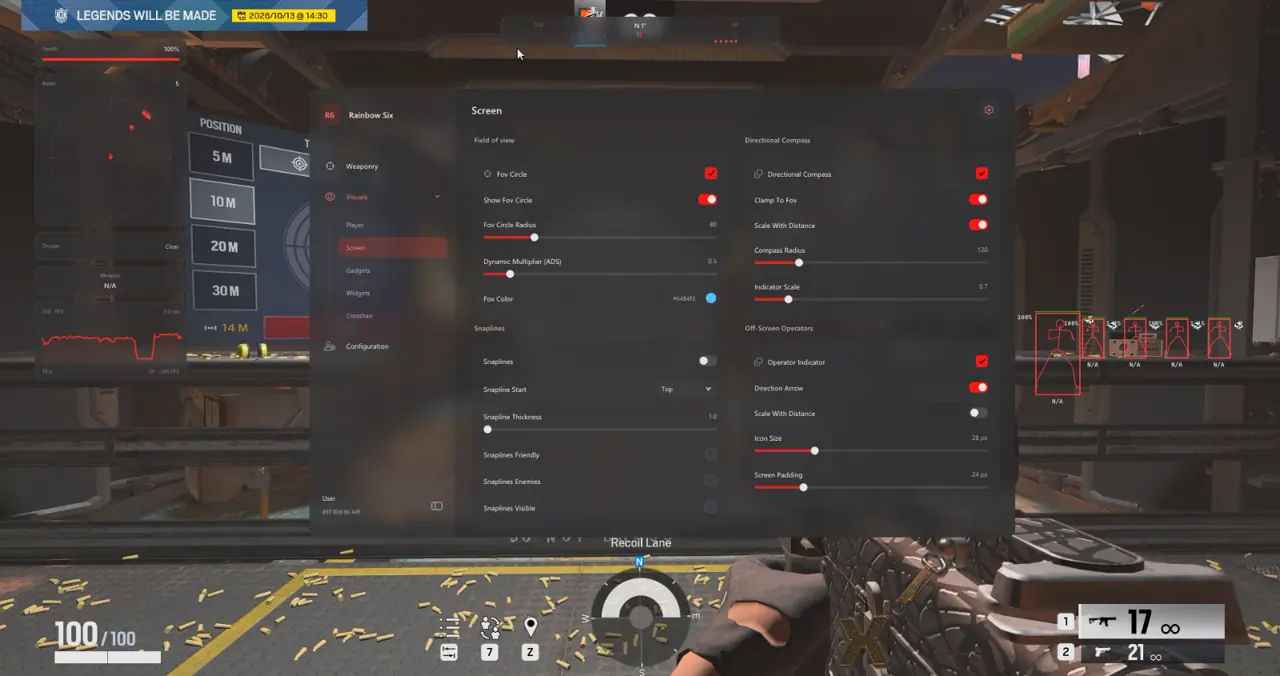
- FOV Circle Radius: Restrict screen search to 30–50 pixels so peripheral movement never tugs your hold.
Five Target Priorities and Dynamic Bone Scan Filtering
Targeting logic in 01. Aimbot supports five priority rules: Crosshair, Bone, Distance, FOV, and Lowest Health (when supported). Crosshair priority delivers the cleanest hold behavior because assistance locks onto whichever operator sits nearest your active pre-aim.
Enable Bone Scan alongside a primary Target Bone of Head or Neck so crouch-peeks and shield angles remain lethal. When an enemy exposes only a shoulder or upper chest above a deployable shield, Bone Scan smoothly transitions lock to the closest exposed joint rather than aiming into bulletproof steel.
Basic Smoothing Profiles vs. Advanced Curve Control Points
Aim smoothing in 02. Aim Smoothing separates quick preset selection (Smooth, Balanced, Aggressive with Humanized Control) from granular Curve Control Points tuning.
| Advanced Parameter | Functional Mechanic | Conservative Micro-Aim | Fast Entry Acquisition |
|---|---|---|---|
| Aim Speed | Rate of crosshair progression toward target bone | Low (1.2–1.8) | Moderate (2.5–3.2) |
| Assist Strength | Proportional pull applied atop manual mouse input | Subtle (25%–35%) | Direct (60%–75%) |
| Curve Control Point 1 | Shapes initial departure velocity from current reticle | Gentle slope (0.35) | Steep slope (0.65) |
| Curve Control Point 2 | Controls terminal deceleration onto target hitbox | Smooth taper (0.80) | Crisp lock (0.95) |
| Random Factor and Noise | Adds micro-variance along trajectory and endpoint | Minimal (2%–4%) | Moderate (6%–8%) |
Movement Prediction and the Live Aim-Path Visualizer
Three-speed operators sprinting across hallway breaches outrun static frame coordinates unless velocity compensation is active. Adjusting Movement Prediction within 0–3 frames computes lateral operator speed so bullets connect cleanly on moving head hitboxes.
Enable Live Smoothing Preview, Aim Path, and Assist Point Visualizer under 02. Aim Smoothing while testing inside Shooting Range. Inspecting the real-time path fade timing and color confirms smooth organic arcs free of sharp angle snaps.
- 1 Frame Movement Prediction: Ideal baseline for close interior hallway peeks without overshooting.
- Path Fade Timing (300 ms): Clears debug curve trails rapidly between consecutive targets.
- Assist Point Inspection: Confirms terminal curve endpoints settle naturally onto Neck or Head bones.
Six-Step Aimbot Calibration Protocol and Prerequisites
Follow this deterministic six-step sequence inside Shooting Range before entering live 5v5 playlists.
- Confirm active availability on Live Cheat Status and follow Steps 1–4 of the Windows Setup Guide.
- Open 08. Configs & Interface, create a baseline profile named
R6_Aim_Baseline, and lock Windows scaling to100%. - In 01. Aimbot, bind Mouse4 or ADS Hold, set Activation Delay to 2 ticks, select Crosshair priority, and leave Target Non-Visible OFF.
- Set Target Bone to Head with Bone Scan ON, set FOV Circle to 35 px, and adjust Dynamic ADS Multiplier to 0.65x.
- In 02. Aim Smoothing, enable Aim Path visualizer, configure Control Points (0.35 / 0.80) with 3% noise, and set Movement Prediction to 1 frame.
- Test flick arcs against moving Shooting Range dummies, save the profile, and disable visualizer debug overlays before live matches.
Prerequisites, Expected Outcome and Fast Triage
Ensure Borderless or Windowed display mode and 8 GB+ RAM on Windows 10/11 64-bit; expect an audible F2 injection chime at the Main Menu and responsive Insert controls. If the curve feels shaky or the loader stalls at 0x00000001, verify Windows Security toggles after reboot, enable WARP, and keep Target Non-Visible disabled.
Pair these precision curves with optic-matched scaling in our Rainbow Six Siege Legit Micro-FOV and StreamProof Guide and vertical layout strategies in our Rainbow Six Siege Operator ESP and Radar Guide, or review 1-Day to 1-Month keys on the Rainbow Six Siege Product Page.
Verify current build availability on Live Cheat Status and complete Windows preparation in the Windows Setup Guide before launching Ranked or Shooting Range sessions.

