
Winning Turf Rotations in Capture The Block with World ESP
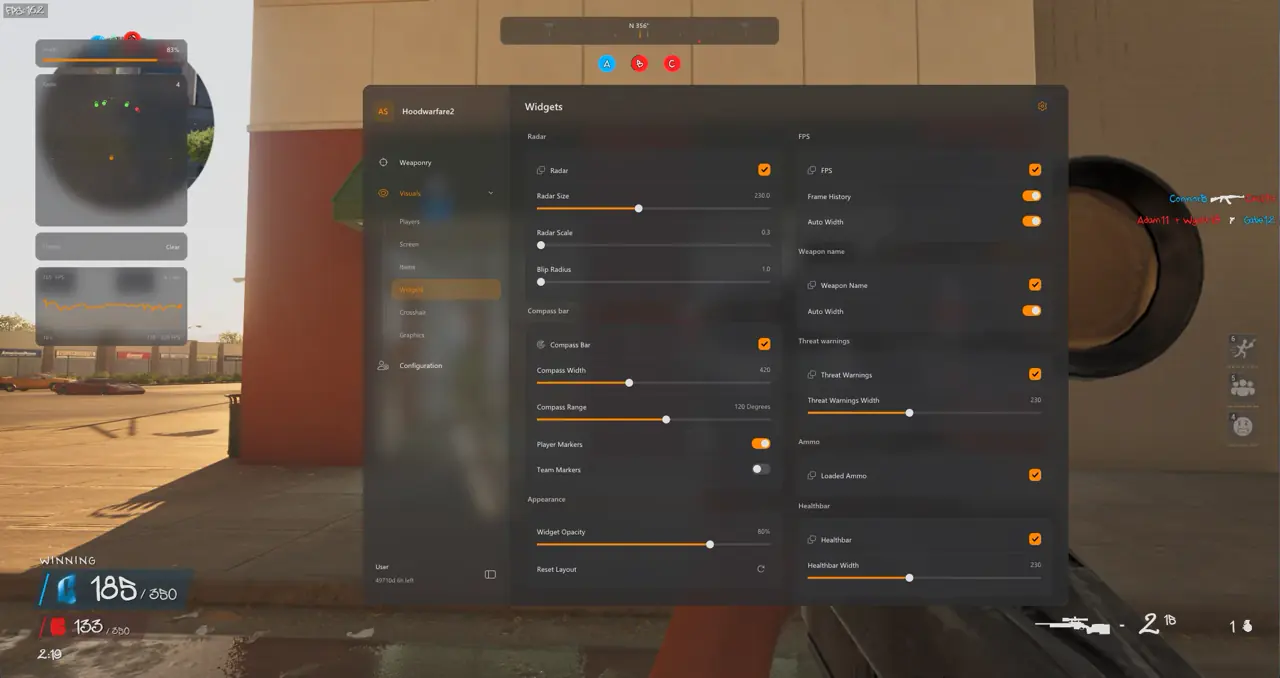
TXCIZ Hood Warfare 2 illuminates Capture The Block turf boundaries, 85m heavy weapon pickups, and night-map alley silhouettes across Windows 10/11 64-bit Steam lobbies, giving your squad instant zone rotation timers and 65m spawn-flip radar warnings without cluttering center crosshairs.
Capture The Block forces teams onto open intersections flanked by alleys and fire escapes. Using Item ESP and Objective markers inside the TXCIZ Hood Warfare 2 Suite tracks contested timers and loose weapons cleanly.
Visibility, Sun Color Lighting & Weapon Camo Settings
Combining dual-tone Player ESP colors with Sun Color, No Fog, and a 0.1s–15.0s client-side Camo Cycler sharpens night street fights while preserving clean OBS captures.
| Visual Module | Recommended Setting | Tactical Benefit in HW2 |
|---|---|---|
| Player ESP Boxes & Skeletons | Dual-tone Visible (Violet) / Enemy (Amber) | Separates peekable fighters from cover behind brick walls |
| Capture The Block ESP | Enabled with Distance Scaling | Tracks contested turf zones and next rotation points |
| Weapon Pickup ESP | Enabled up to 85m (Filter to 120m) | Secures heavy rifles and armor plates before enemy pushes |
| Sun Color, Fullbright & No Fog | Warm Dusk or Crisp Daylight tint | Lifts pitch-black alley shadows without scope glare |
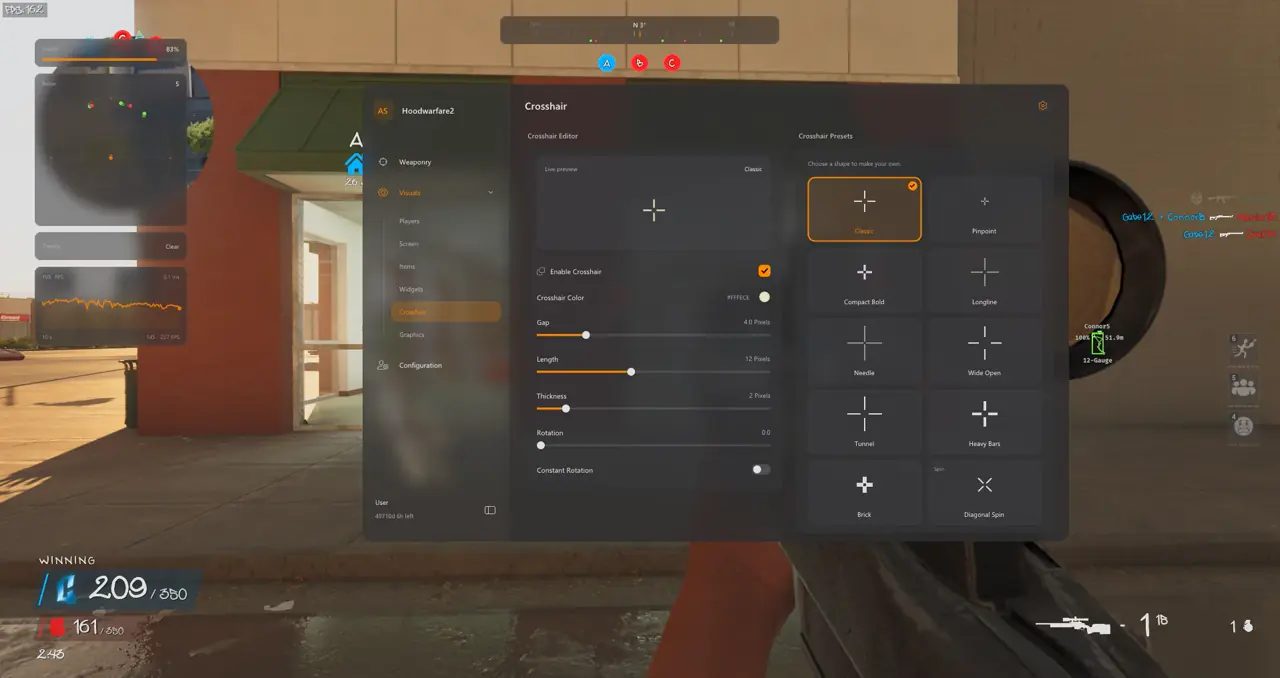
| Weapon Camo & Crosshair | Auto Cycle (0.1s–15s) + 2px Cyan Dot | Cycles local weapon skins while StreamProof hides ESP |
Sun Color Ambience and Weapon Camo Modes
Under 09. Miscellaneous, Sun Color, Fullbright, and No Fog remain active across death respawns while the Camo Selector runs in Off, Automatic Cycle (0.1s–15s interval), or Selected Camo mode locally on your client.
Preventing Spawn-Flip Backstabs: 5-Step Turf Control Setup
Follow this five-step radar and lighting setup to catch rear alley spawn flips two seconds before footsteps become audible.
- Anchor the movable 2D Radar (
130px–160px) near your upper corner with a65mrange scale. - Enable Off-Screen Threat Warnings and Directional Compass to spot second-story window flankers early.
- Turn on Weapon Pickup ESP up to
85mand filter low-value pistol clutter beyond120m. - Adjust Sun Color and No Fog lighting under Module 09 to brighten dark dumpster corners.
- Arrange Player Name, Health Bar, and Held Weapon labels cleanly inside Drag and Drop ESP Preview, then save.
Pair this visual setup with precision curves from our Hood Warfare 2 Aimbot & 22-Bone Guide, compare arena presets in our Magic Bullet & Arena Presets Guide, or review the complete 9-module list in our Street ESP & 2D Radar Pillar Guide.
Confirm live availability on Live Cheat Status, read Windows prep on Windows 10 & 11 Setup Guide, and unlock access on Hood Warfare 2 PC Cheats.
Prerequisites, Expected Outcome & Fast Triage
Confirm your Windows display scale and Step 2 settings before running Txcizware-Loader.exe (2.61 MB) for Capture The Block.
- Prerequisites: Windows 10/11 64-bit (
24H2-26H2), 8 GB+ RAM, Windowed or Borderless (100%DPI, HDR OFF), Step 2 toggles OFF,/statusbadge Undetected. - Expected Outcome: Library Launch displays [+] You can open the game now;
F2at Main Menu beeps and loads theInsertmenu; OBS Game Capture conceals ESP boxes while recording cleanly.
Fast Triage for Common Loader and Visual Issues
Follow these four fixes if the loader closes early, network checks stall, or radar overlays shift.
- Loader closes or 0x00000001: Redo Step 2 Defender settings after reboot, sync Windows Time, and activate
WARP(1.1.1.1). - Stuck 10% or 521 / 429: Turn on Cloudflare
WARP(1.1.1.1) or wait15-30minutes for429limits to clear. - Radar or ESP offset: Switch HW2 to Windowed/Borderless at
100%scale and exit NVIDIA, Discord, or RTSS overlays. - BSOD or MsSo64.sys: Update drivers, keep HVCI and Hyper-V off (pause BitLocker first), and send
Minidumpplusinjector.tosin #🎫┃ticket-maker.

